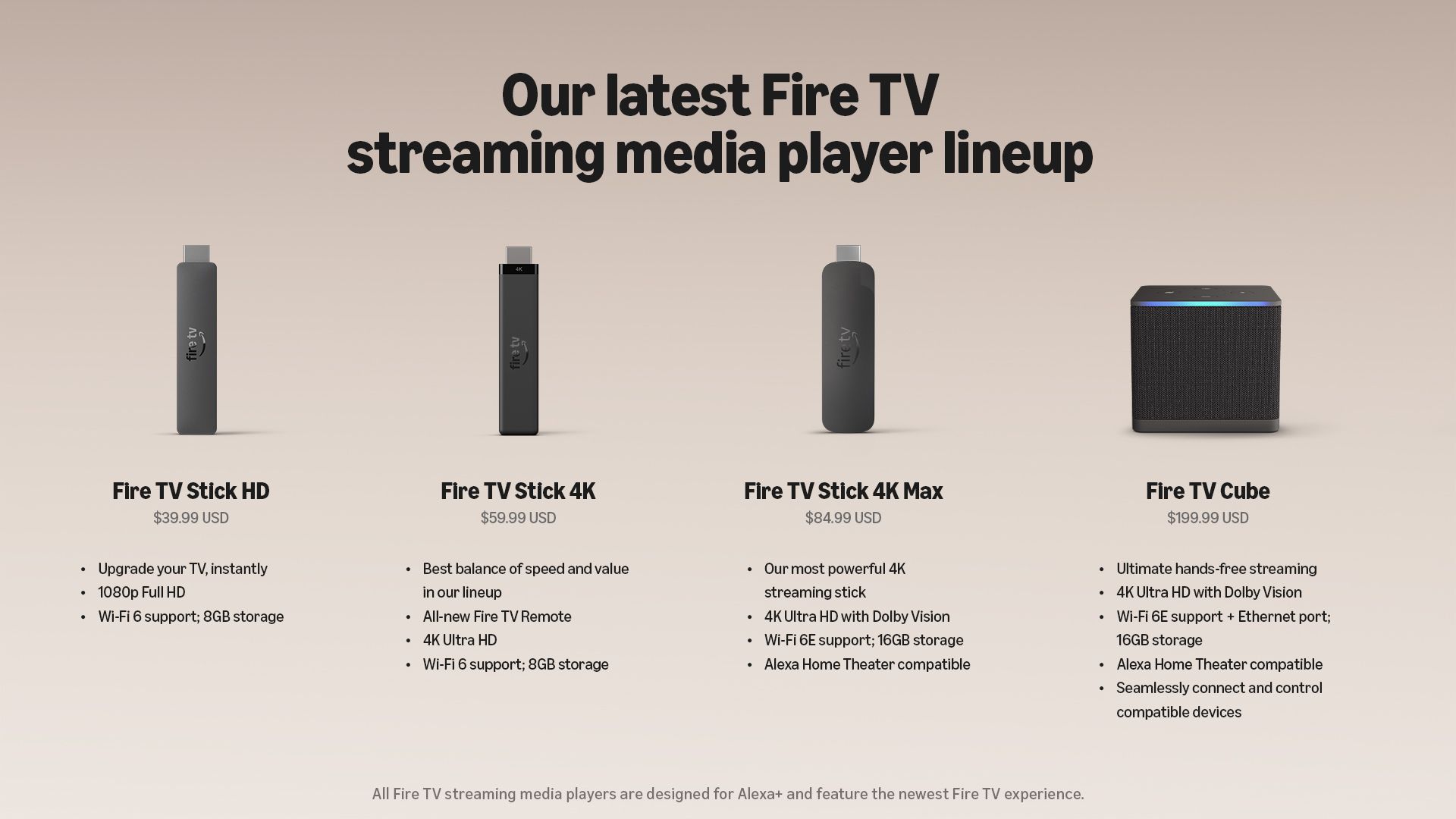
Amazon's new Fire TV Stick 4K promises 35% faster app launches and up to 20% faster content playback.
The new model supports Wi-Fi 6, 4K 60fps video and ships with Amazon's Vega OS out of the box.
Amazon has redesigned the Fire TV remote with a new shape and tactile buttons that are easier to find by touch.
Amazon today announced the next generation of its Fire TV Stick 4K.
While there are plenty of great Android TV and Google TV streaming devices out there, Amazon's Fire TV Stick remains one of the most popular streaming options. And today, the company updated its lineup with the new Fire TV Stick 4K (2026). Amazon says the new model brings faster performance, ships with the new Vega OS, and comes with a redesigned Fire TV remote.
The new Fire TV Stick 4K is powered by a quad-core 1.7GHz processor and supports Wi-Fi 6, Bluetooth 5.3, and 8GB of internal storage. For video output, it supports HDR10, HDR10+, HLG, H.265, H.264, VP9, and AV1 at up to 4K 60fps.
Amazon says the new Fire TV Stick 4K should also feel noticeably faster in everyday use. According to the company, apps can now launch over 35% faster, while content starts playing up to 20% faster than before.
(Image credit: Amazon)
The Fire TV Stick 4K also supports Direct Power, which allows you to power the streaming stick directly through your TV's USB port instead of requiring a separate power adapter. It also ships with Amazon's new Vega OS out of the box.
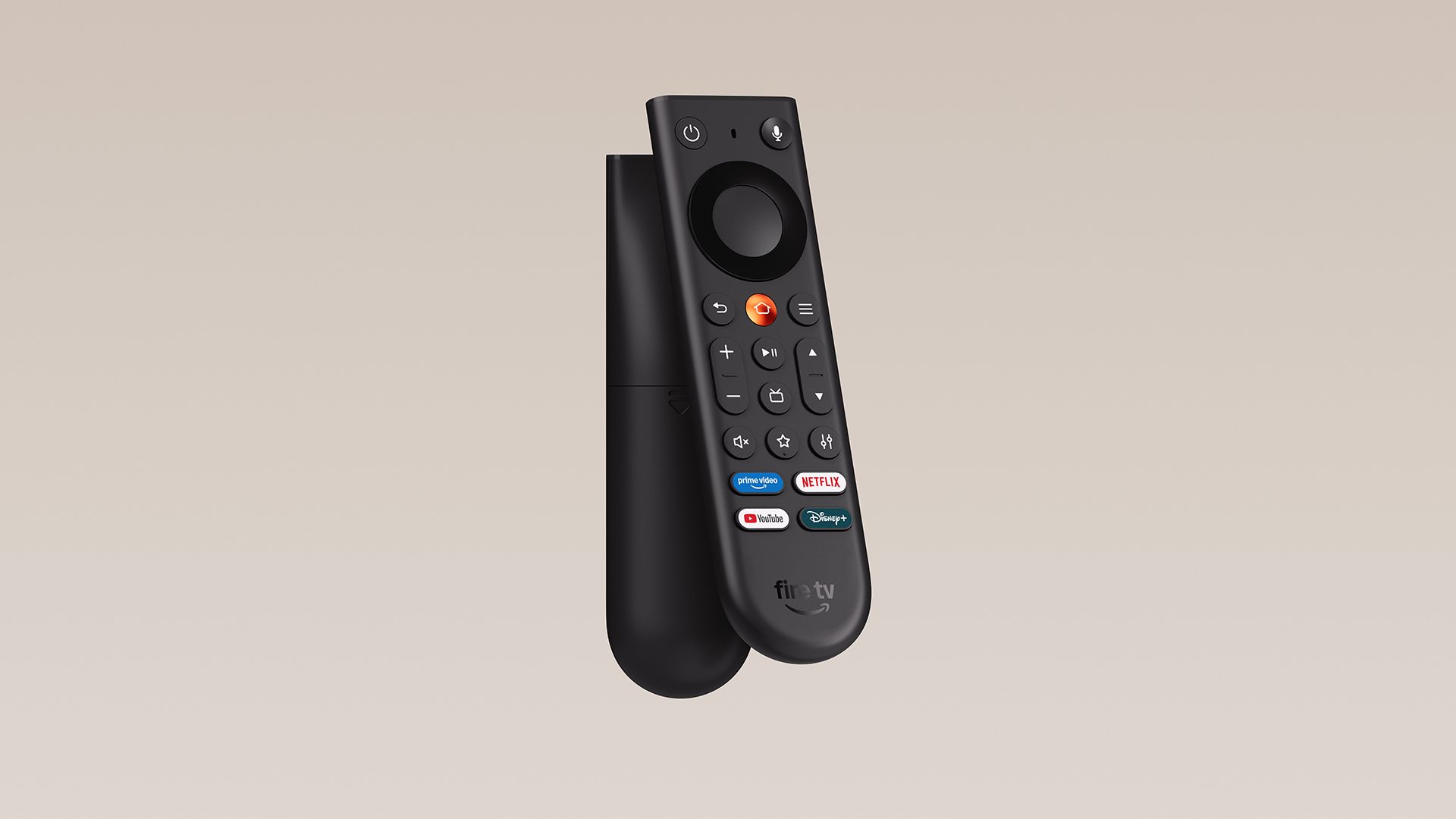
Alongside the new Fire TV Stick 4K, Amazon has debuted a redesigned Fire TV remote. The company says the new design focuses on making the remote easier to hold and navigate without constantly looking down at the buttons.
The remote now has an asymmetrical shape with a flat top and a curved, weighted bottom, making it easier to tell which way you're holding it. The Home button gets a distinct metallic finish, while the other buttons are indented and differently shaped so they're easier to identify by touch alone.
(Image credit: Amazon)
You still get the usual playback and navigation controls alongside quick-access buttons for apps including Prime Video, Netflix, YouTube, and Disney Plus.
Amazon has also teased a new Fire TV Remote Plus coming next year. The more premium remote will feature an aluminum housing and backlit buttons, alongside a built-in Find My Remote feature. You'll simply be able to say, "Alexa, find my remote," and the remote will play a sound to help you locate it.
The new Fire TV Stick 4K is priced at $60 and starts shipping today in the U.S., Canada, Japan, Mexico, U.K., Ireland, Germany, France, Italy, Spain, Switzerland, Australia, and New Zealand, with more countries joining next month.
For a limited time, though, Amazon is offering the new Fire TV Stick 4K for just $30 in the U.S., and you'll get the redesigned Fire TV remote in the box as well.
Samsung has unveiled the Galaxy Tab S12 Ultra and Tab S12 Plus, powered by MediaTek's Dimensity 9500 chipset.
The Tab S12 Ultra has a 14.6-inch 120Hz AMOLED display, while the Tab S12 Plus gets a smaller 12.6-inch panel.
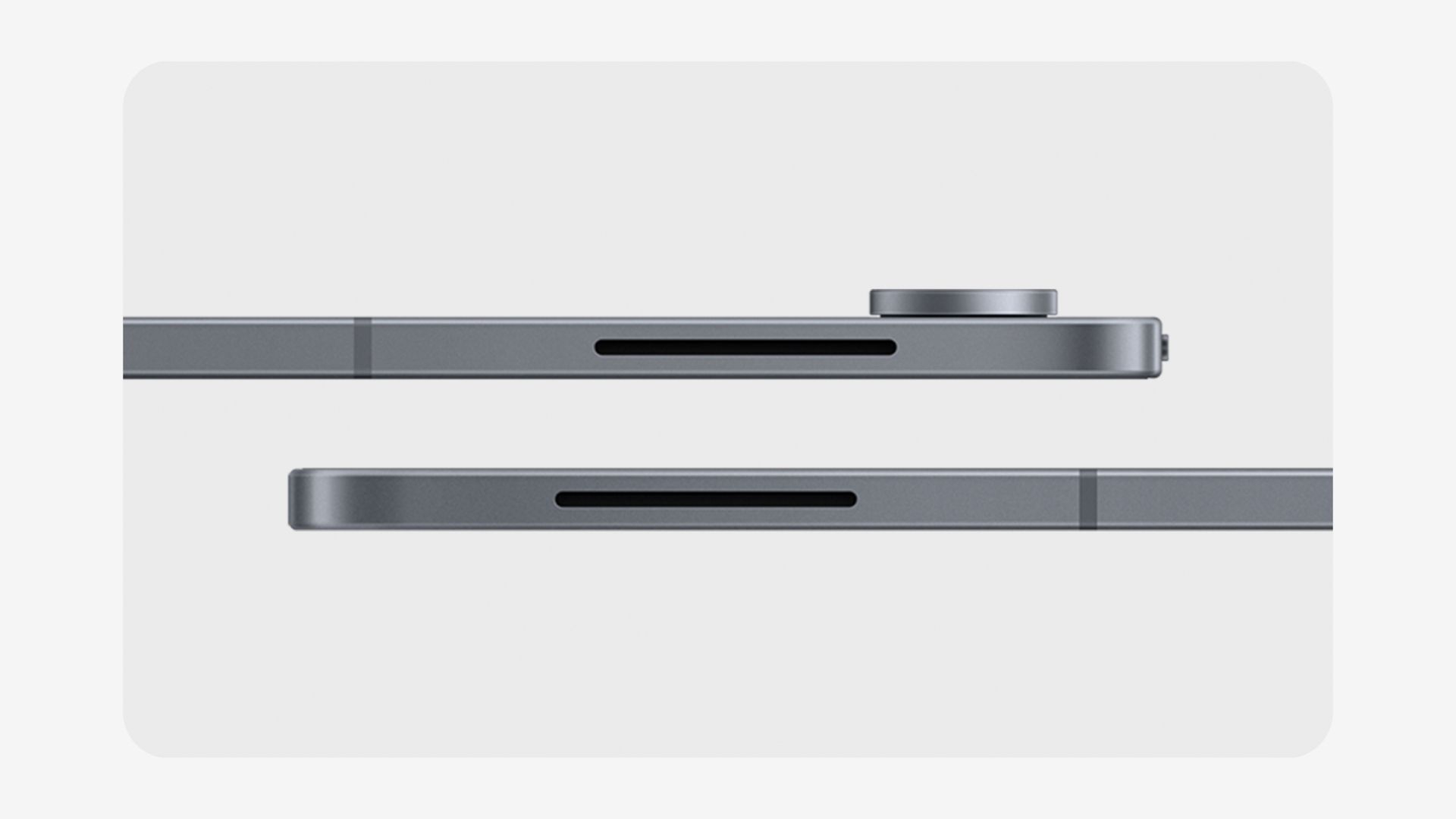
Samsung has made the Tab S12 Ultra just 5.1mm thin while still fitting an 11,600mAh battery and a 3D vapor chamber.
The Galaxy Tab S12 Ultra starts at $1,400, while the Tab S12 Plus starts at $1,200.
Samsung today took the wraps off the Galaxy Tab S12 Ultra and Galaxy Tab S12 Plus, its latest generation of flagship Android tablets.
We've been hearing leaks about the Galaxy Tab S12 series for a while now, and Samsung has finally made the new tablets official. The company says the new models bring improved performance, longer battery life, and the latest Galaxy AI features while retaining the ultra-thin design the Galaxy Tab S series is known for.
On the front, the Galaxy Tab S12 Ultra features a massive 14.6-inch Dynamic AMOLED 2X display with up to a 120Hz refresh rate, while the smaller Galaxy Tab S12 Plus still packs a large 12.6-inch Dynamic AMOLED 2X panel with the same 120Hz refresh rate.
Both displays can reach up to 1,600 nits of peak brightness and support S Pen input, with the stylus included in the box. One interesting change this year is that Samsung has also embedded the fingerprint sensor directly into the display, unlike the previous generation of Galaxy Tab models.
Samsung Galaxy Tab S12 Ultra and Tab S12 Plus specifications
5G, Wi-Fi 6E, Bluetooth 6.0, Dual SIM (pSIM + eSIM)
Security
In-display fingerprint sensor
In-display fingerprint sensor
Battery
11,600 mAh
10,600 mAh
Charging
45W wired charging
45W wired charging
Dimensions and weight
208.5 x 326.3 x 5.1mm; 692g
187.8 x 289.5 x 5.3mm; 553g (Wi-Fi), 555g (5G)
Colors
Gray, Silver
Gray, Silver
Samsung is also claiming some big battery life improvements with the Galaxy Tab S12 series. The company says the Galaxy Tab S12 Ultra can last up to 23 hours, while the Galaxy Tab S12 Plus can manage up to 21 hours. The Ultra packs an 11,600mAh battery, while the Plus comes with a 10,600mAh cell. Both tablets support up to 45W wired charging.
What's particularly impressive about the Galaxy Tab S12 Ultra is that Samsung has managed to fit all of this hardware into a body that's just 5.1mm thin, making it the thinnest Galaxy Tab yet. There's also a new 3D vapor chamber inside to help manage heat, while both tablets carry an IP68 dust and water resistance rating.
(Image credit: Samsung)
The new tablets ship with One UI 9 based on Android 17 and pack Samsung's latest Galaxy AI features. To make better use of those massive displays, you can run three apps simultaneously using Multi Window. So, for example, you could have Samsung Notes, YouTube, and an AI chatbot open on the screen at the same time.
Samsung has also partnered with Adobe to bring Photoshop preloaded on the Galaxy Tab S12 series, bringing more advanced image editing and design tools directly to the tablets. The company is also partnering with apps including Goodnotes, LumaFusion, and Notion to offer discounts and free trials to Galaxy Tab S12 buyers.
The Samsung Galaxy Tab S12 Ultra starts at $1,400 in the U.S., while the Galaxy Tab S12 Plus starts at $1,200. Both tablets will be available starting October 7 in two colors, Gray and Silver.
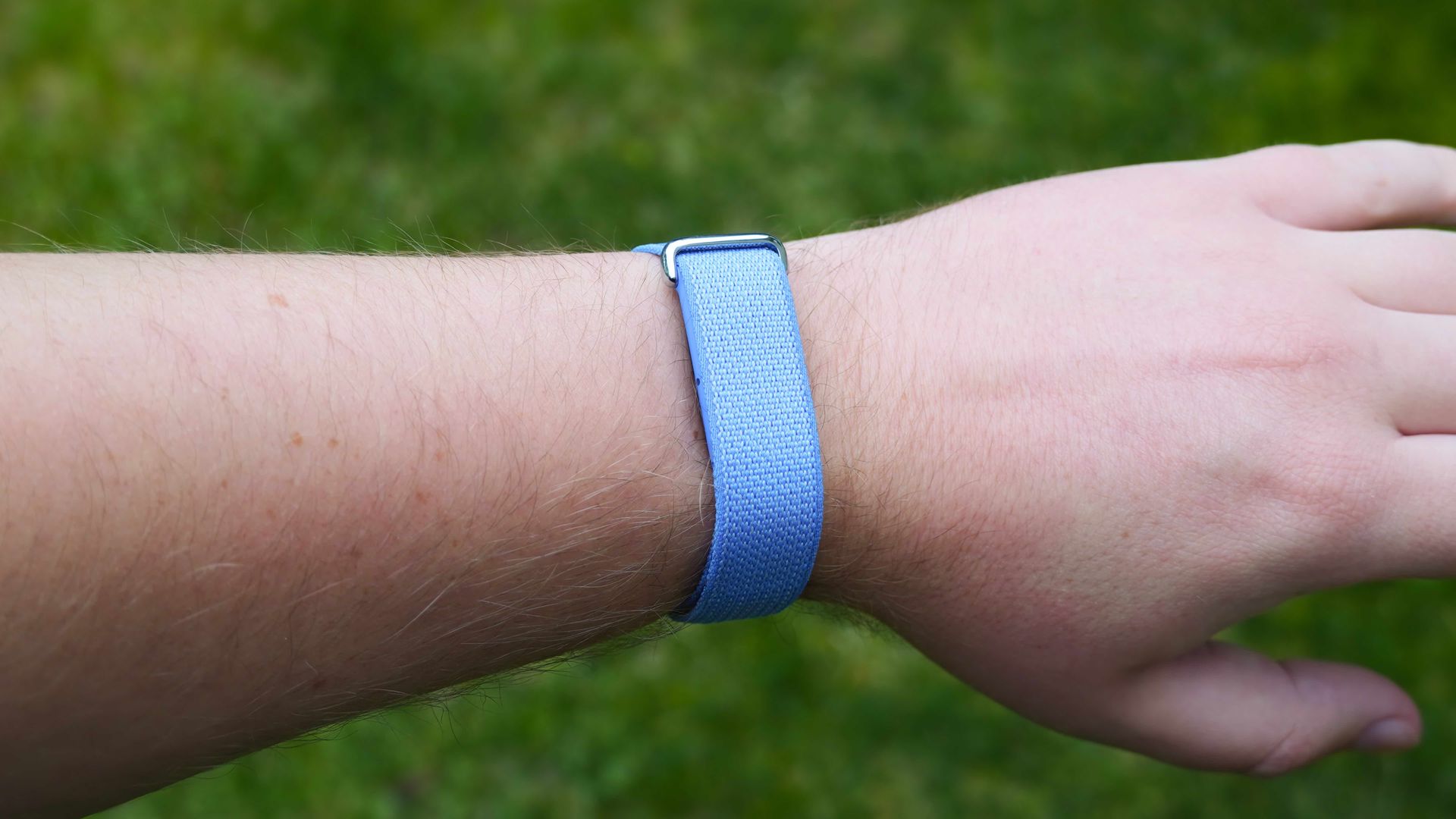
Google launched the Fitbit Air in May, and nearly five months later, the fitness tracker is making its debut in India. Google will start selling the Fitbit Air starting October 2 for ₹13,999 ($146), and it will be sold in Obsidian, Berry, Lavender, and Fog. I didn't think it would be priced quite as high, as resellers had the fitness tracker at ₹12,999 ($135), but that's what you'll need to shell out if you want to buy from Google.
The Fitbit Air is intriguing because it is Google's take on what a screenless tracker should be. There's clearly a lot of demand for smart rings and trackers, and I routinely see Whoop bands at the gym. But the key difference is that unlike Whoop, Google doesn't charge a subscription to use the Fitbit Air — you just buy once, and get all the features. It's a refreshing change of pace from the brand that gave us the Nest Cam.
In his review, Derrek Lee had this to say about the fitness tracker: "The Fitbit Air is exactly the type of product Google needs, short of a smart ring. It's simple, distraction-free, and comfortable to wear, even to bed."
(Image credit: Brady Snyder / Android Central)
The Fitbit Air has continuous heart rate tracking, heart rate variability, irregular heart rhythm (Afib) notifications, blood oxygen (SpO2) tracking, and sleep analysis. My favorite feature is the automatic activity tracking; not having to do so manually is a big deal. Reviews point to the feature being a bit of a hit-and-miss, but I'm eager to see how it holds up in my testing.
Google Health Coach is present as well, and the AI-assisted feature gives you plenty of actional insights, and is a bit sassy (particularly if you don't get adequate rest). As with Google's smartwatches, the brand is bundling a trial of Google Health Premium with the Fitbit Air, so you can see what the platform has to offer.
I'll be getting the Fitbit Air shortly, and I'll be putting it to the test against the half-dozen or so smartwatches I have in my rotation.
There's a decent selection of Wi-Fi security cameras available, and I tested various Reolink and Baseus models in the last two years. But if you need 24/7 recording and local storage, the best choice is to get cameras that can be plugged in and connect these to a dedicated network video recorder (NVR).
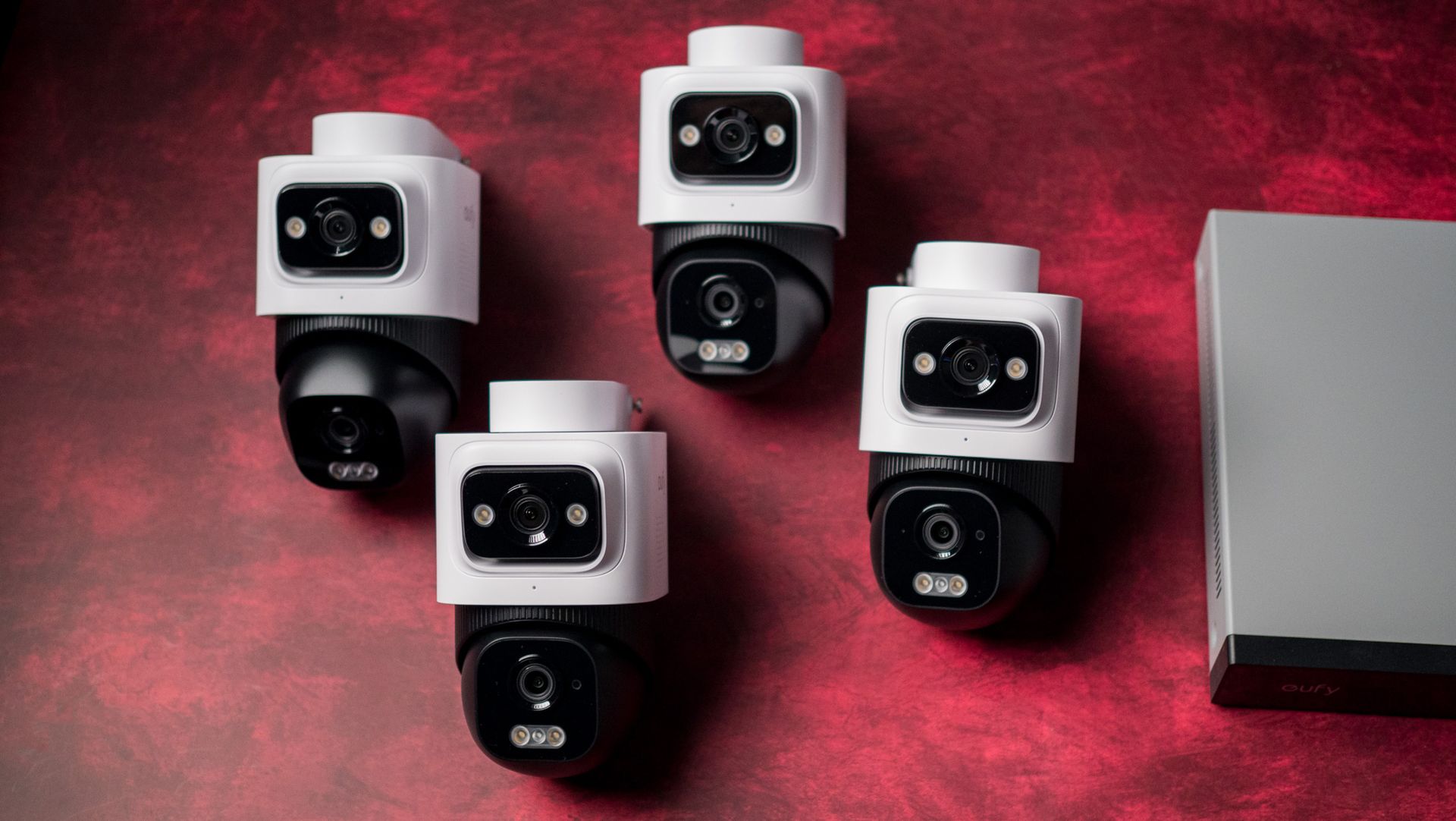
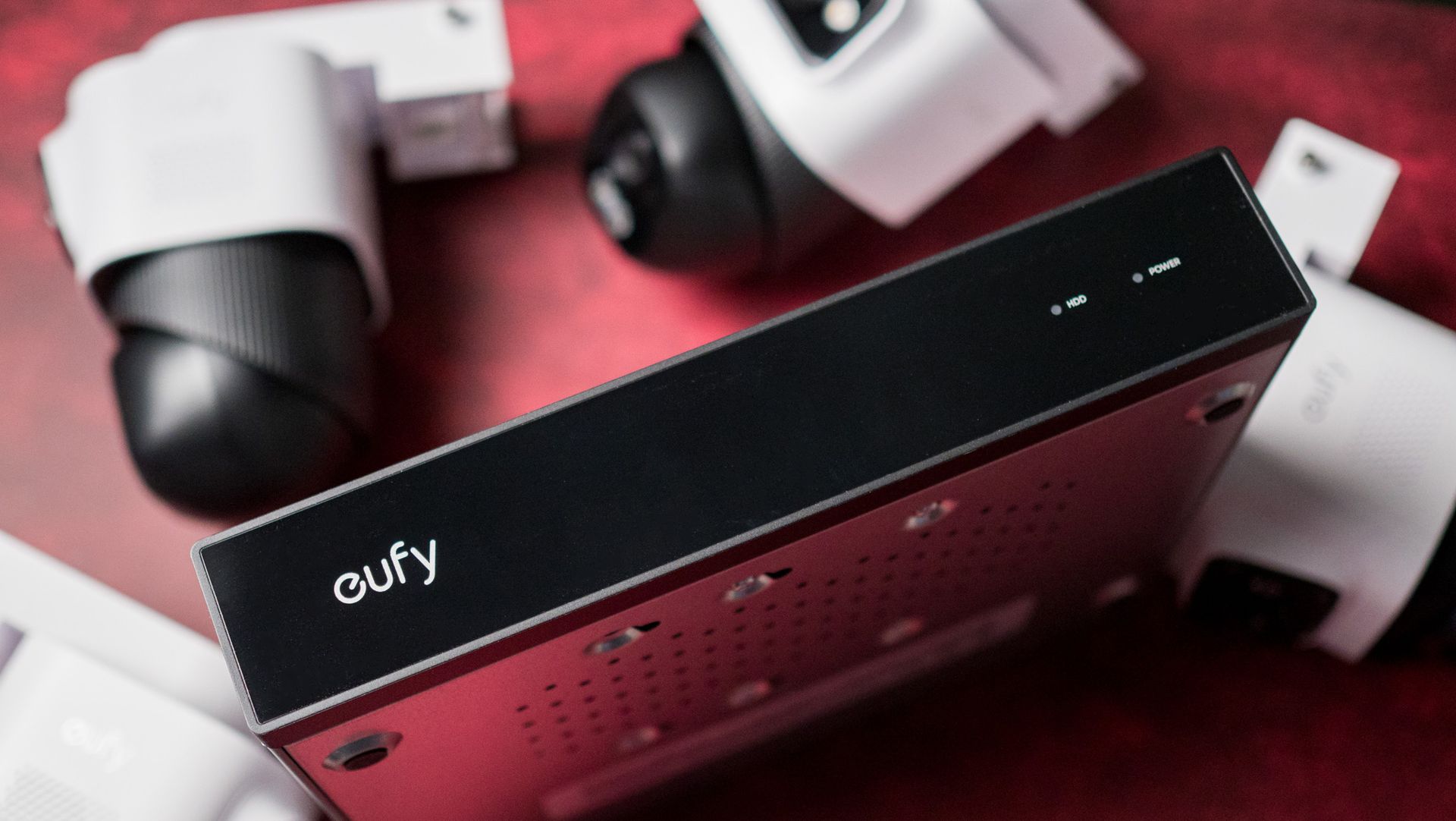
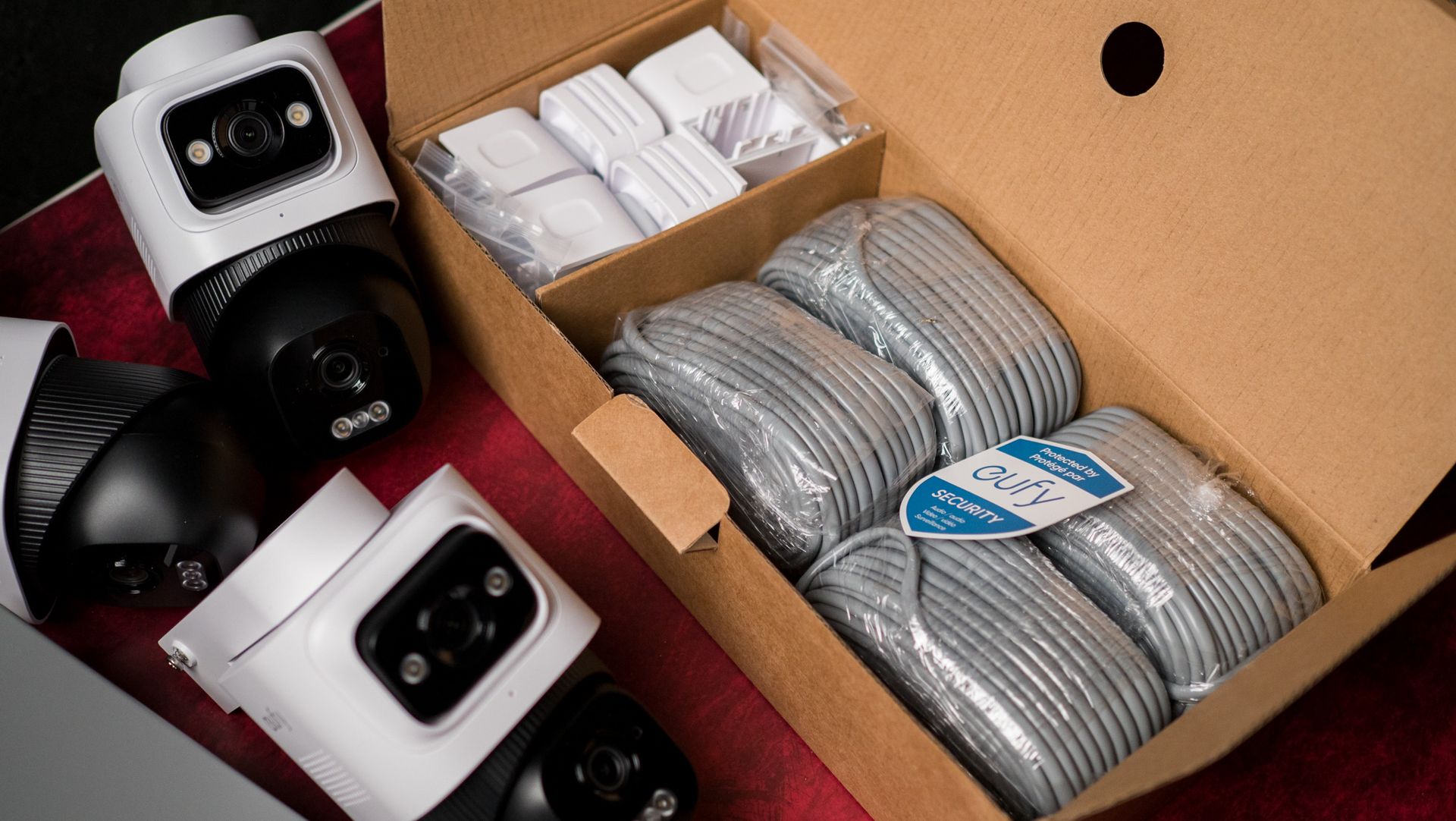
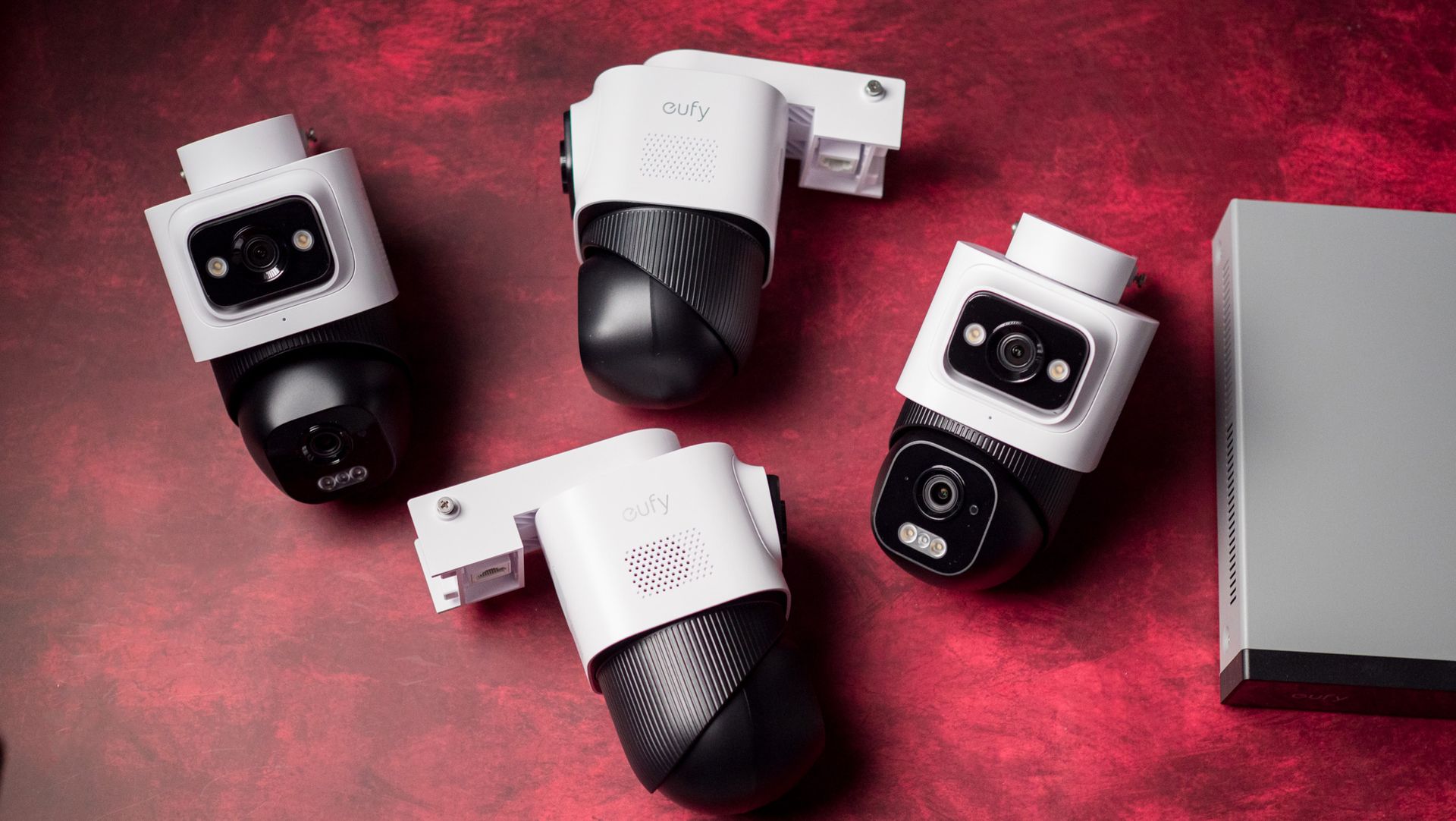
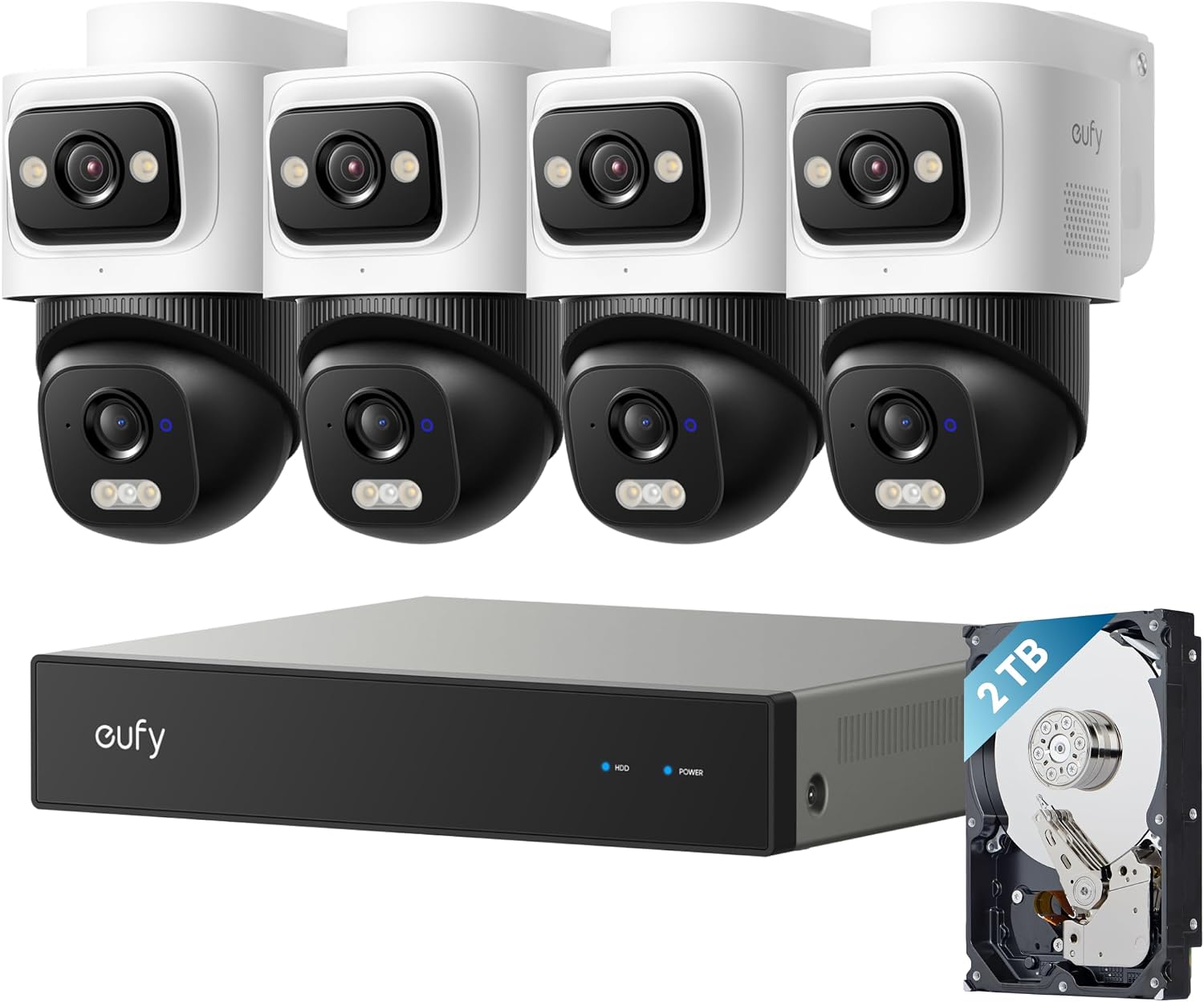
This is where the Eufy Security NVR System E50 comes in. It is an all-in-one system that includes an NVR, a 2TB hard drive, four E50 PTZ (pan-tilt-zoom) PoE cameras, and all the accessories you need to install the cameras. The entire bundle costs $1,199, but AC readers can get it for $839 by using code EUFYNEWPOE — that's a $359 discount on a subscription-free security camera bundle. The code is valid on Amazon as well if that's your prefer choice of retailer.
Let's go over the basics, because the E50 system comes with a lot of stuff. The E5 NVR is the center of the hub, and this is what you connect the cameras to, and store your recordings. It also has a 3.5-inch hard drive bay, and it comes with a 2TB drive installed out of the box.
If you're planning on adding cameras down the line (there's also an 8-camera version), or just need to store recordings for longer, you can take out the installed drive and slot in your own — the NVR holds up to 16TB drives. Just to give you an idea, the default 2TB drive easily holds three months' worth of recording when using all four cameras.
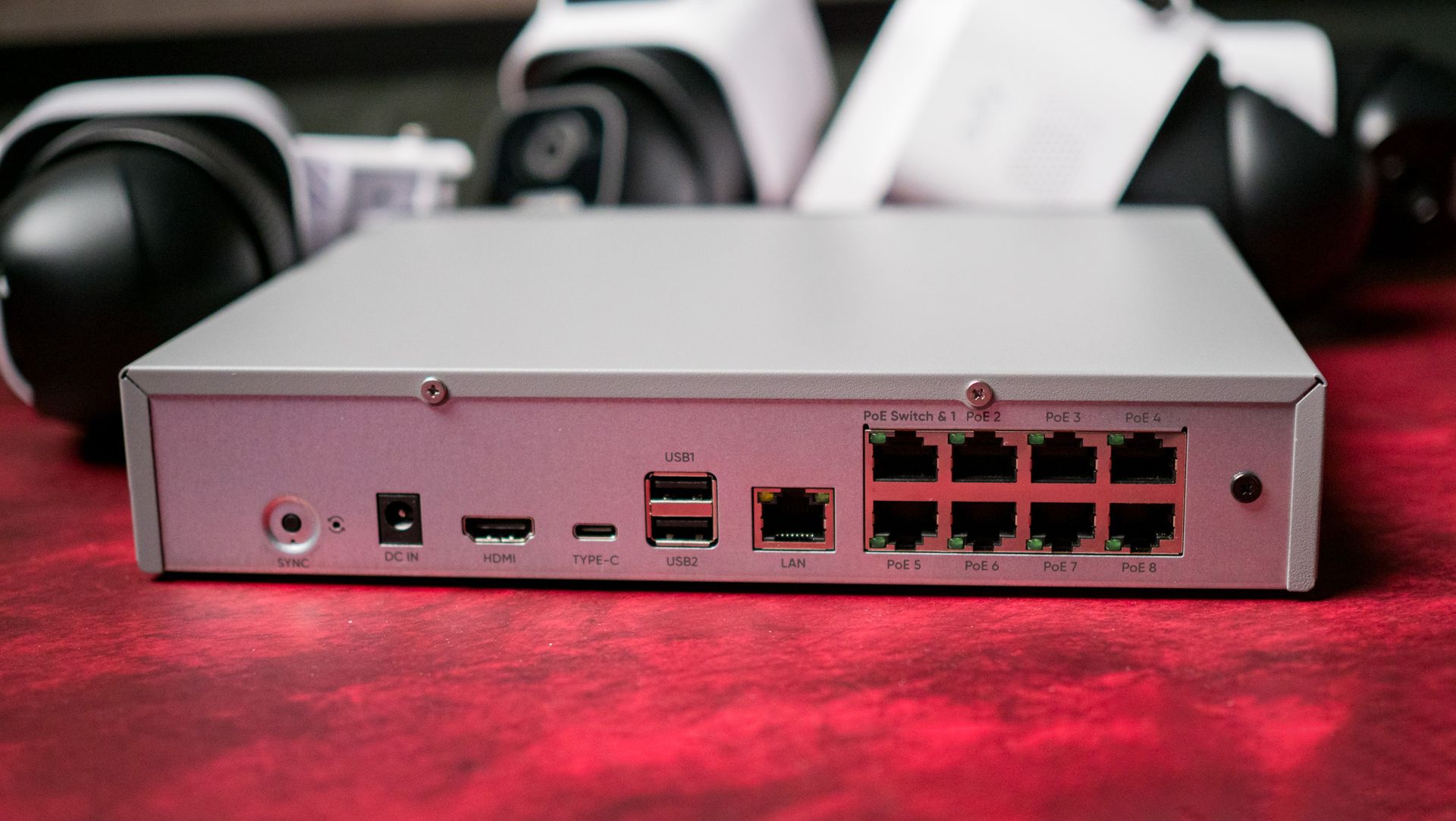
The NVR comes with HDMI and Ethernet connectivity, one USB-C and two USB-A ports. The defining feature is eight PoE ports, allowing you to connect eight cameras to it without any issues. It has enough power to drive all eight cameras (it has a 90W power brick), and you can easily set up the NRV and view footage from the cameras by connecting it via HDMI to a monitor — you don't get a monitor bundled with the box, but there is a mouse.
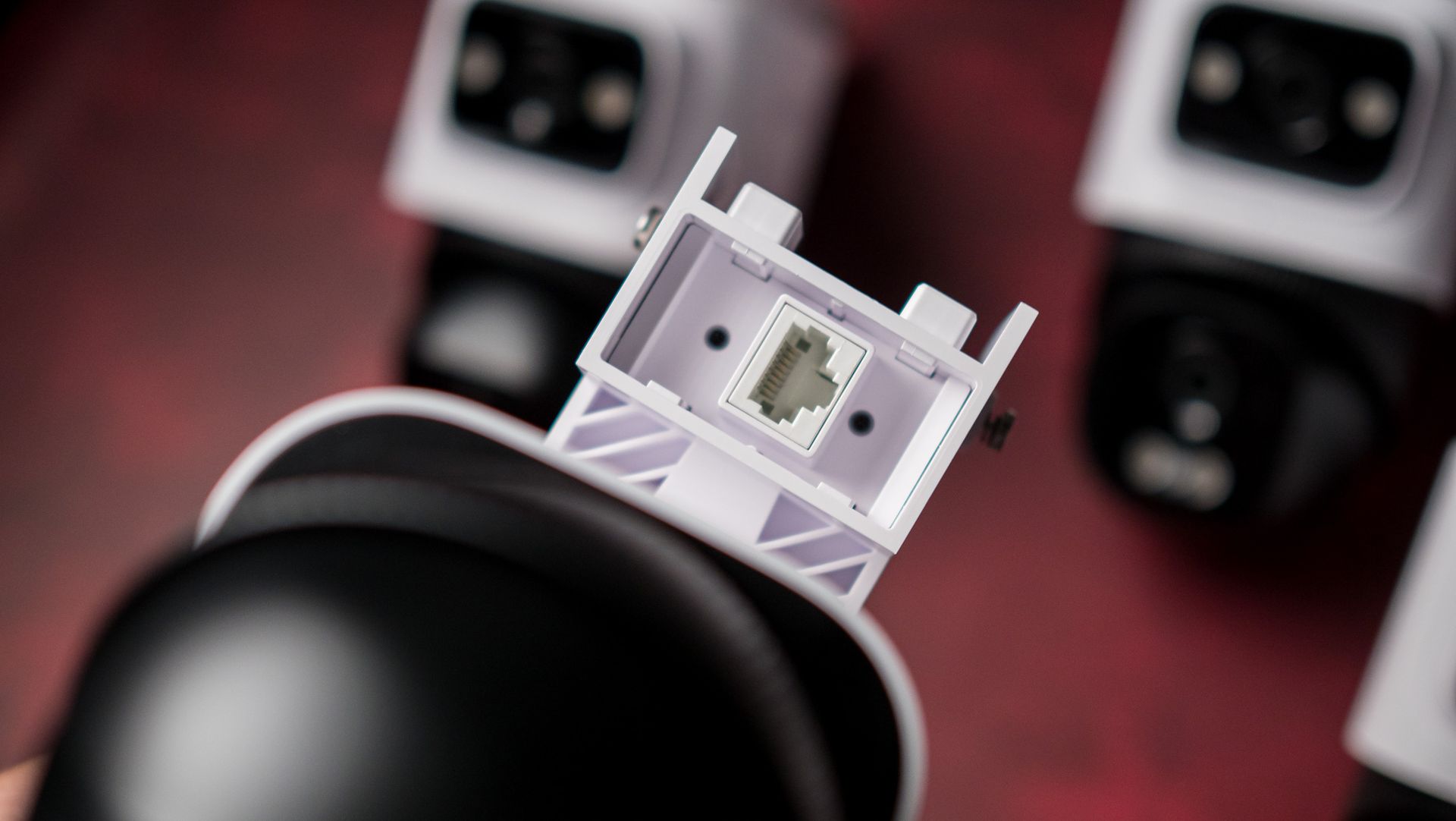
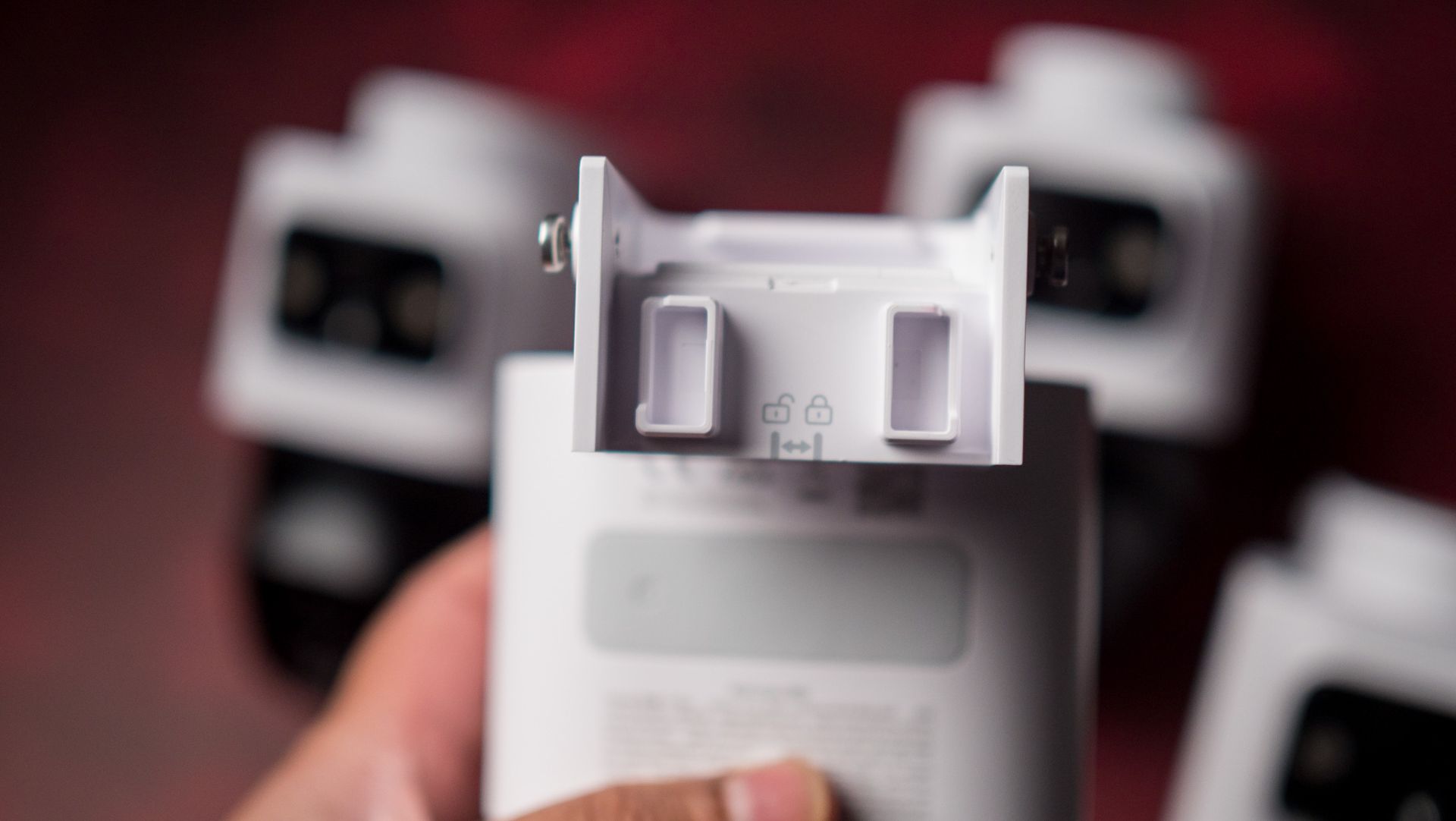
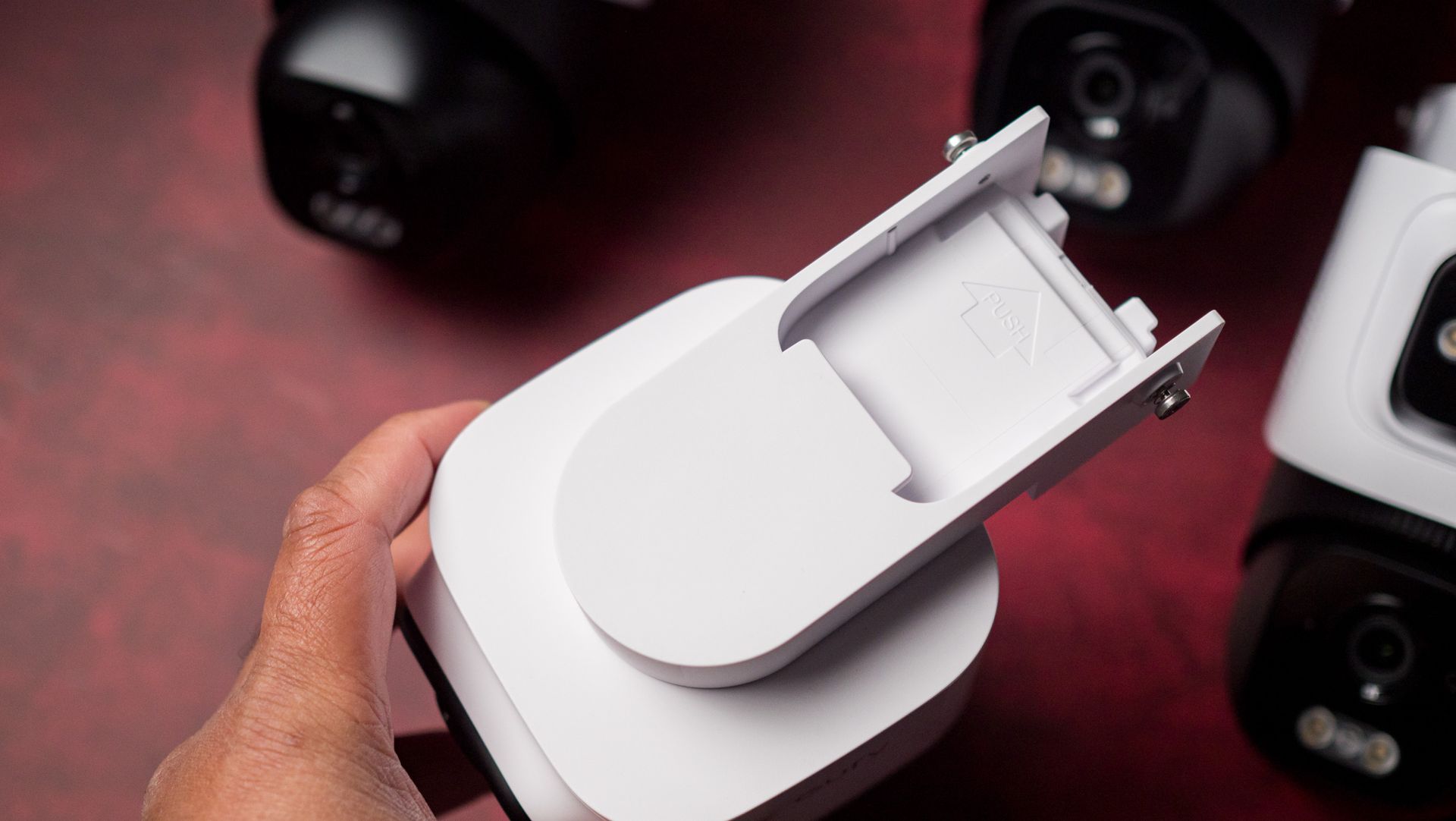
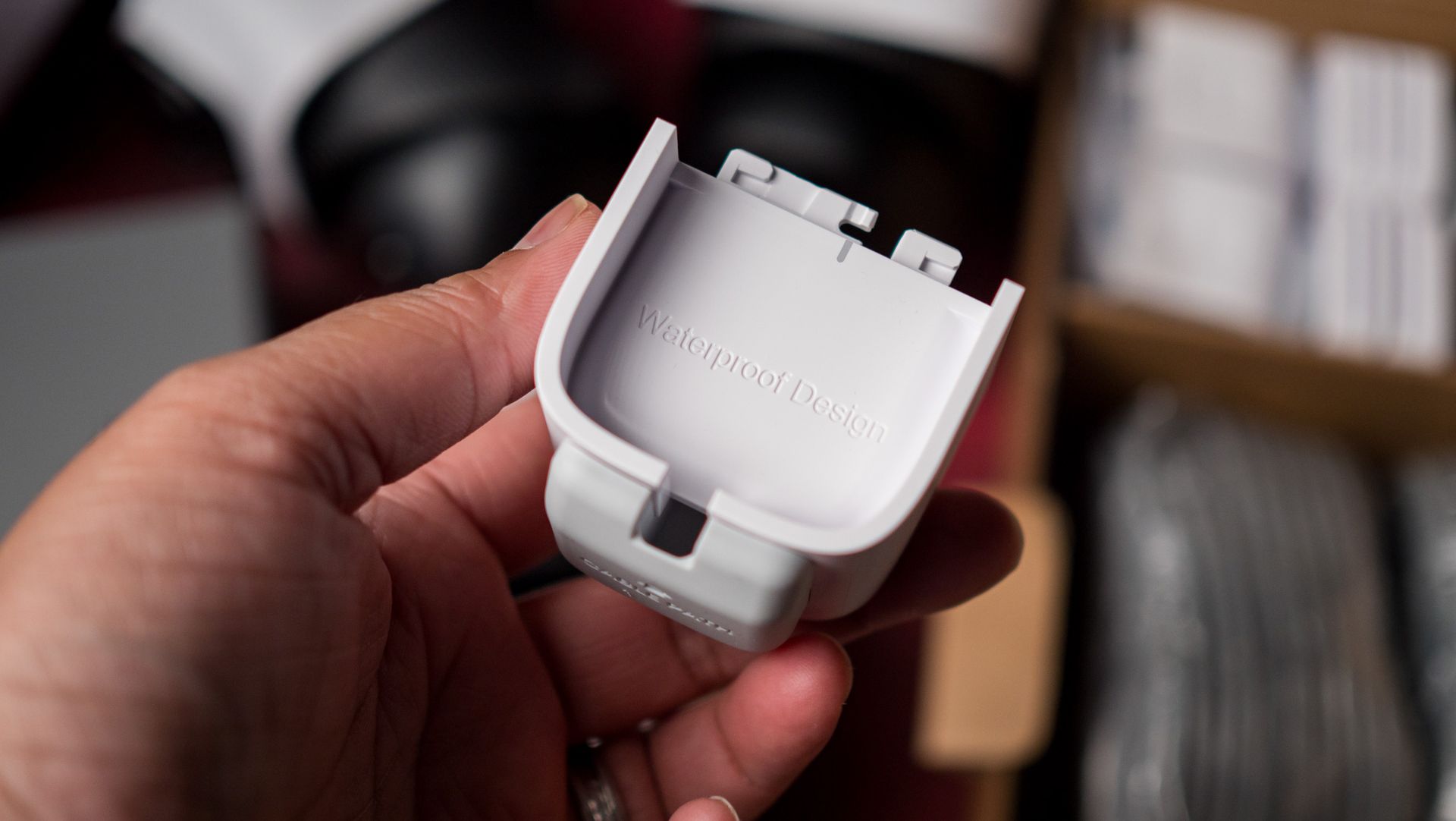
Then you get the four cameras, and all the accessories to mount the cameras. There's a water-resistant housing, positioning stickers, screws, and four 59ft (18m) Ethernet cables. I didn't need the cables as I have Ethernet cabling running outside, so I was able to connect the cameras relatively easily to the NVR and set everything up without any hassle.
Talking about setting things up, you will need to install the Eufy app to configure the E50 system. I would've preferred a web portal, but that isn't available, and you need to use the app or connect a mouse and monitor to the NVR and configure it locally over your network. The app itself has a ton of features, and it was easy to set up the NVR and configure the cameras. The power-over-Ethernet cameras need just the Ethernet cable to provide power and transfer data, and while it is a hassle to run cabling to the desired outdoor locations where you intend to mount the cameras, it's a one-time chore.
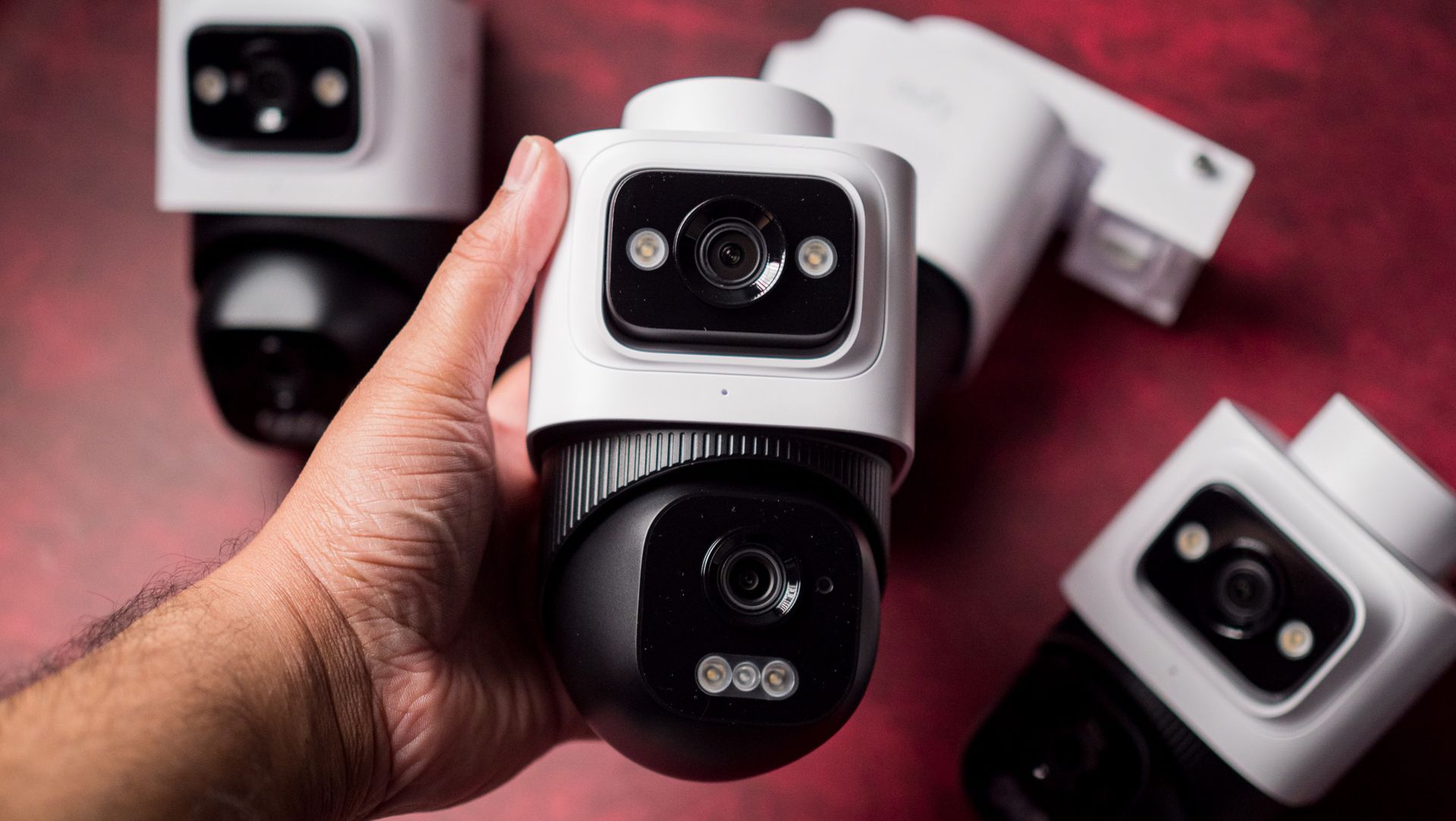
The E50 cameras have dual lenses — a 2K fixed lens with 180-degree field of view, and a 4K movable lens with 360-degree rotation with 65ft range and 5x zoom. With four cameras connected to the NVR, I was able to cover the entire outer area of my house. Eufy has a nifty OmniTrack feature that dials in on a subject when it detects motion, and it does a good job in this regard. You can set up familiar faces and exclusion zones with relative ease, and the cameras deliver clear footage even at night.
There's on-device AI as well (obviously) that's used to identify and frame subjects, and while I dislike shoehorning AI into every consumer product (these features existed before AI was a thing), I'll admit that Eufy has the basics covered. The E50 system gets multi-device view, cross-camera tracking, secure transmission of video feeds, and alert schedules.
In real-world use, the E50 did an admirable job; the cameras deliver clear footage, and I got instant alerts whenever they detected motion. Image quality is great, and I like using PTZ cameras because of the flexibility they provide — the secondary moving lens is great for tracking motion. I had no issues accessing alerts and camera feeds outside my home as well. Eufy finally uses end-to-end encryption (which is the reason I was willing to use these cameras), and while the brand took a while to rectify earlier mistakes, the E50 system doesn't have any security issues.
If anything, the only problem I have with the E50 cameras is that they don't integrate with the RTSP protocol. We moved to a new house last year, and I set up a DVA3221 NVR with 32TB storage and went with Reolink cameras. I did so as the brand has several cameras that use RTSP, and this allowed me to connect the cameras to the NVR and record footage with ease. Thankfully, Eufy says it is enabling RTSP in the coming months, and I will update this post once I use it with my NVR.
Look, if you're starting out and want an all-in-one solution with secure access, there's no doubting that Eufy did a great job bundling all the products you need. Oh, and if you want to add indoor cameras down the line, there's a Wi-Fi Module that lets you connect Eufy Wi-Fi cameras to the NVR, and that's good to see. Wi-Fi cameras are inherently more annoying to use — I hated the Nest Outdoor Cam — but they are a better choice indoors as you don't need to run cabling.
I get that even the discounted $840 price is quite a lot of cash to pay for a security system, but the E50 is designed to last, and it is more affordable in the long-term than using any Wi-Fi cameras that run on subscriptions, like Nest or Ring.
Not having to charge the cameras is a huge bonus, and you can be safe in the knowledge that all recordings are stored locally and not on a cloud server somewhere. You get actionable insights, Eufy's multi-view feature is pretty great in its own right, and the cameras deliver clean footage even at night. On the whole, it's a good choice if you need an all-in-one security camera system to cover your home and yard.
Eufy
E50 Security Camera System
Eufy did a good job with the E50 security system, and if you need local footage and a dedicated NVR, you can get the entire bundle for $839 by using code EUFYNEWPOE.
Amazon's Big Deal Days sale returns October 6-7, which means we're just days away from seeing some of the best Google Pixel deals of the year. Whether you're shopping for an AI-boosted Pixel 11 or a stylish Pixel Watch 5, Amazon's October Prime Day sale event is expected to slash prices on nearly all of Google's latest tech, along with a few iconic last-gen devices.
What specifically can you expect when the deals go live? Are there any early offers available? I've been covering sale events just like this one for years, and I can tell you exactly what you need to know about shopping Google Pixel tech during Amazon Big Deal Days.
The biggest thing to consider today is whether or not your Amazon Prime subscription is active. Most of the best Pixel deals during Amazon's sale will be exclusive to Prime members, so make sure you're logged in before you start shopping. Not a member yet? Amazon is running a 30-day free trial that lets you explore all of the benefits of a Prime membership (including access to exclusive deals) without paying a cent.
Big Deal Days is Amazon's way of bringing the complete Prime Day experience into the fall season. From October 6th through the 7th, the retailer will be slashing prices on everything from clothing and kitchen appliances to Android tech, and all you'll need is a Prime membership. The sale also marks the beginning of fall sale season, giving shoppers an early look at upcoming Black Friday and Cyber Monday offerings.
What Google Pixel deals can I expect during Prime Big Deal Days?
Prime Day events like Big Deal Days typically showcase discounts on a wide range of Google products, from smartphones to wearables. This time around, I'd expect some hefty discounts on the entire Google Pixel 11 lineup. The prices on the flagship phones haven't dipped much since their August launch, so I'm anticipating discounts as high as 20% off or more once the sale begins in earnest.
You can also expect the Pixel Watch 5 to get its first-ever discount, while last-gen Google devices like the Pixel Watch 4 and Google Pixel 10a are almost certain to see some historic price drops as well.
Do I need to be a Prime member to shop during Prime Big Deal Days?
Yep. Just like other Prime Day events, the vast majority of deals during Big Deal Days will be exclusive to Prime members. If you haven't signed up yet, Amazon offers a 30-day free trial that lets you enjoy all of the benefits of Prime (including unlimited streaming, free shipping, and access to exclusive deals) without paying a cent. Once the free trial is up, Prime memberships start at just $14.99 per month with the ability to cancel at any time.
If you simply don't want to add another subscription to your monthly bills, it's also worth mentioning that Amazon's biggest rivals — such as Best Buy, Walmart, and Target — are also expected to launch their own competing sales around the same time. These sale events are sure to match (or even surpass) Amazon's discounts, and they typically don't require a membership.
Every parent wants to protect their kids, and while that's pretty easy to do when you're with them, how about all those times when you're not? Getting your child a kid-friendly phone or smartwatch is a great way to keep in touch (and keep tabs on them), but protecting them from the horrors of the internet is extraordinarily difficult, even with good parental controls in place.
That's why I've been using Bark since 2024 on my son's phone and just expanded it to a new Bark Watch so he can keep in touch no matter where he might be. But Bark isn't just any boring old parental control software that restricts or blocks content. It's got an AI-powered engine that understands context and sends you alerts when it thinks something might be wrong, and that's helped me keep him on the safe path online for the past 2 years.
What is Bark?
(Image credit: Nicholas Sutrich / Android Central)
Bark offers parental controls for existing Android and iOS devices, as well as its own suite of devices. You can easily install it on your child's devices and link it to their social accounts, including Gmail, YouTube, Instagram, TikTok, and more. Bark's AI engine regularly scans activity on the device and linked accounts and sends you alerts when something is out of the ordinary.
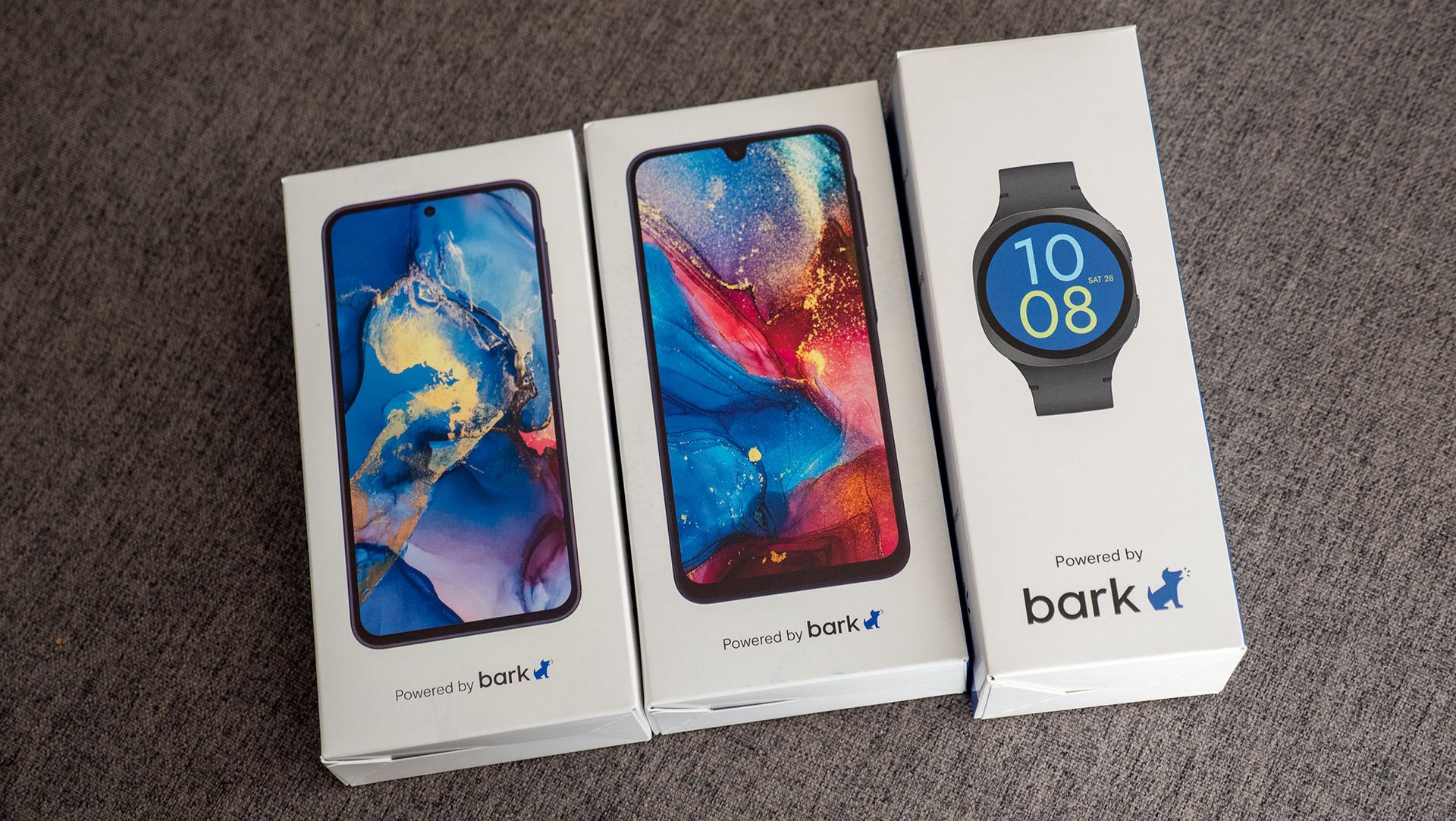
If you don't want to set these up on an existing device, Bark sells two phone models and one smartwatch model that have everything pre-installed and ready to go out of the box. The watch and phones are all Samsung models, so you know they're good products, but I chose something else for my son because Samsung displays use PWM dimming, which causes me health issues and could also cause problems for him. Thanks, genetics.
The whistleblower
(Image credit: Nicholas Sutrich / Android Central)
When your child is little (read: under 10), parental controls are a de facto standard that's an expected norm, even for the kids. As they get older, things get a little trickier. My son is almost 13 now and quite a bit more independent than he was even a year ago. I want to help him grow into a functioning adult, not to need me his entire life, so I've got to help give him more independence as he ages, but that comes with obvious dangers.
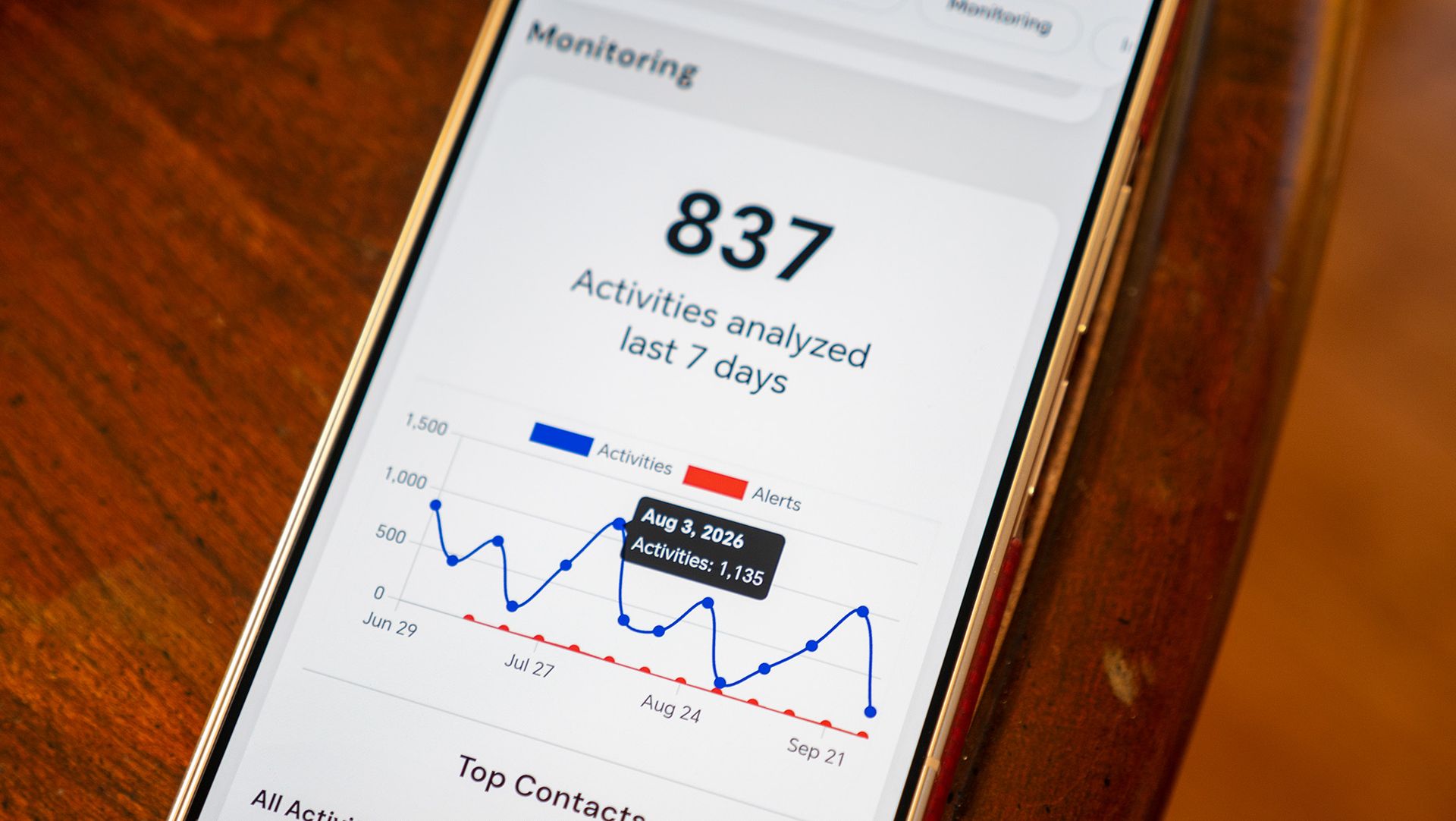
You generally know who your child is talking to in real life, but that's a lot harder online. That's where Bark comes in for me. Its AI-powered engine scans everything on the phone (including text, pictures, video, etc.), runs it through a private VPN, then alerts me when something is wrong. And, of course, if I really felt the need to read all his messages, I'd just take his phone away and do it. I'm still the parent, after all.
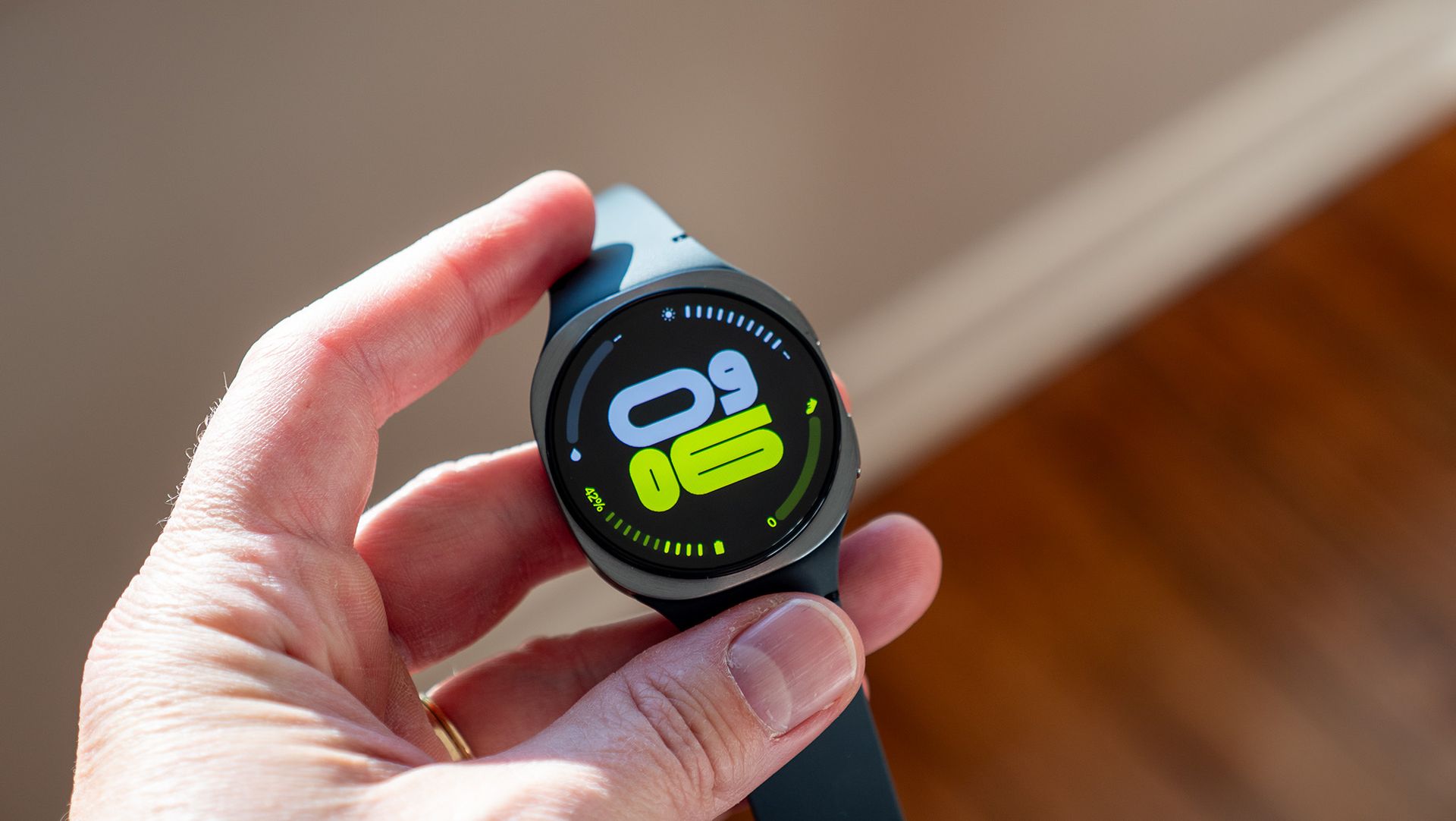
You'd never know this was a "kids watch" by the look of it. (Image credit: Nicholas Sutrich / Android Central)
Every so often, I'll receive an alert from Bark about a conversation my son was having on Discord, or some silly video he recorded. I get around 3 per month on average, so this isn't overwhelming to deal with, and all of them are quite useful.
Most of the time, Bark identifies conversations as containing "bullying" or "violence," but in my son's case, the flagged conversation is just adolescent boys being goofballs rather than something truly harmful. "I'm going to kill you" sounds really bad with no context, but when I realized it was while they were playing some Roblox game where you fight each other, I'm no longer worried about it.
(Image credit: Android Central)
The same goes with videos or pictures he's taken with friends. One time, I got an alert about some recorded video containing "sexual content," but when I viewed it, I realized it was just potty humor taken a bit too far. A quick conversation with him nipped that one in the bud.
Another time, he skinned his knee quite badly and sent a picture of it to some friends. I got a quick alert when he did that and knew to grab the Band-Aids and Neosporin for when he walked back inside. It works impressively well, and it makes me feel like I have a digital companion helping me better parent him in the digital age rather than having to manually snoop on every conversation he has.
Bark Assistant
(Image credit: Nicholas Sutrich / Android Central)
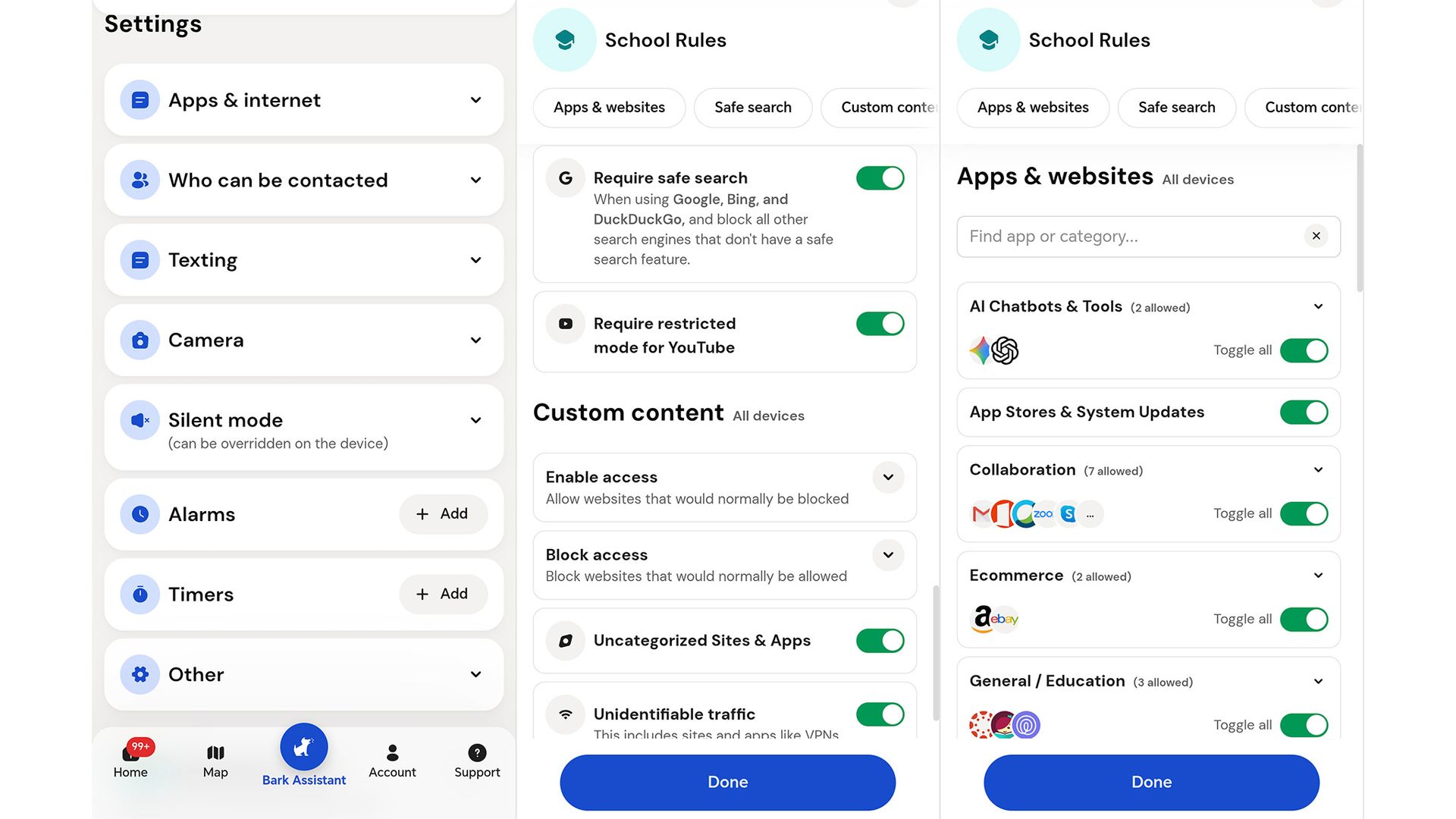
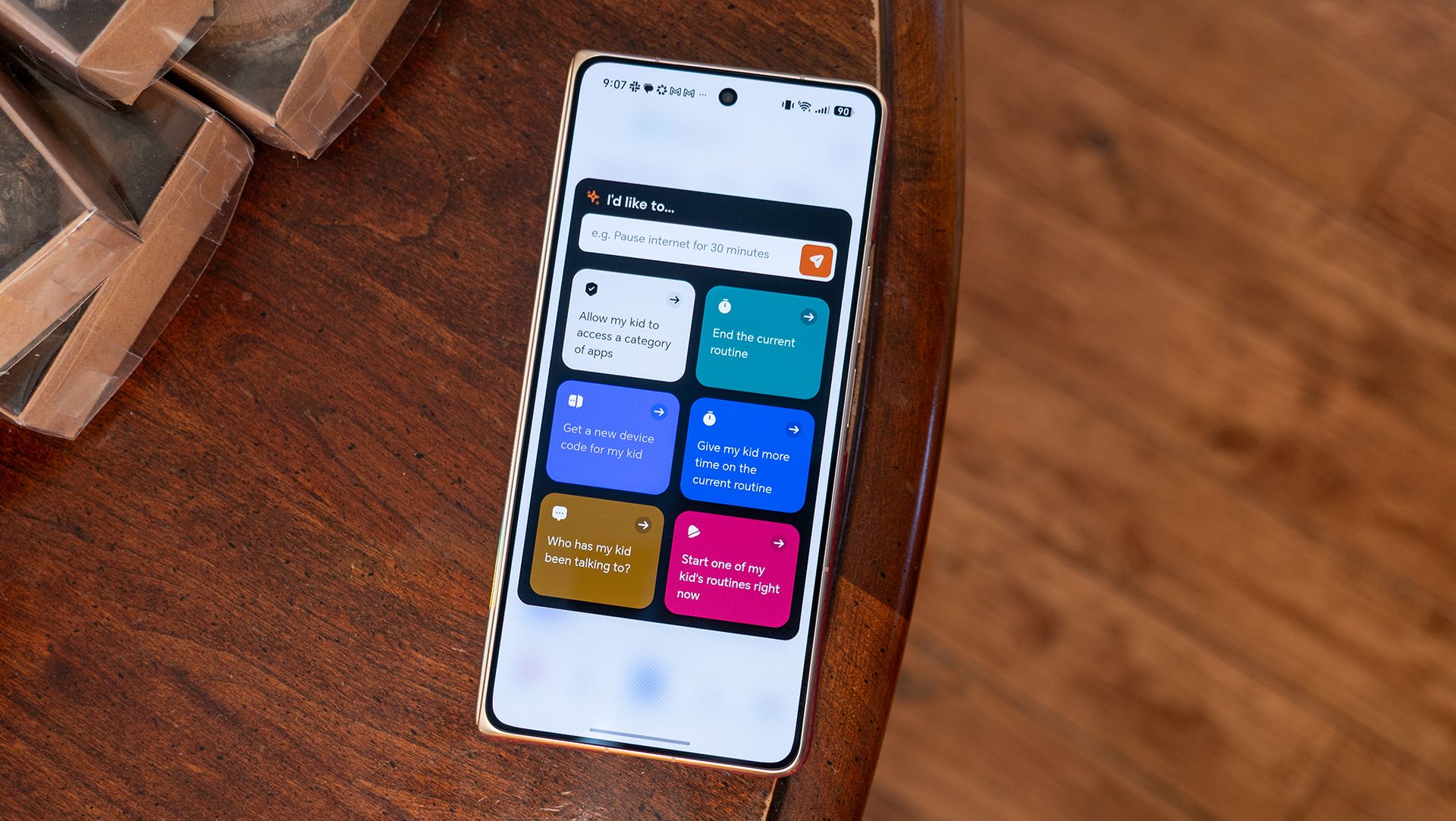
Bark's proactive alerts are a phenomenal way to keep me informed without having to keep the app open all the time, but there are occasions when I want to look something up in the app. Bark does a lot, and I used to find myself fumbling through menus to find what I want, but that all stopped when Bark Assistant launched.
Assistant is launched via the center Bark button in the Bark app's navigation bar. As you might imagine, Bark Assistant is powered by an LLM and can answer any question you have about your child's account or activity. It can also make quick changes to settings or help you set up features you didn't know existed.
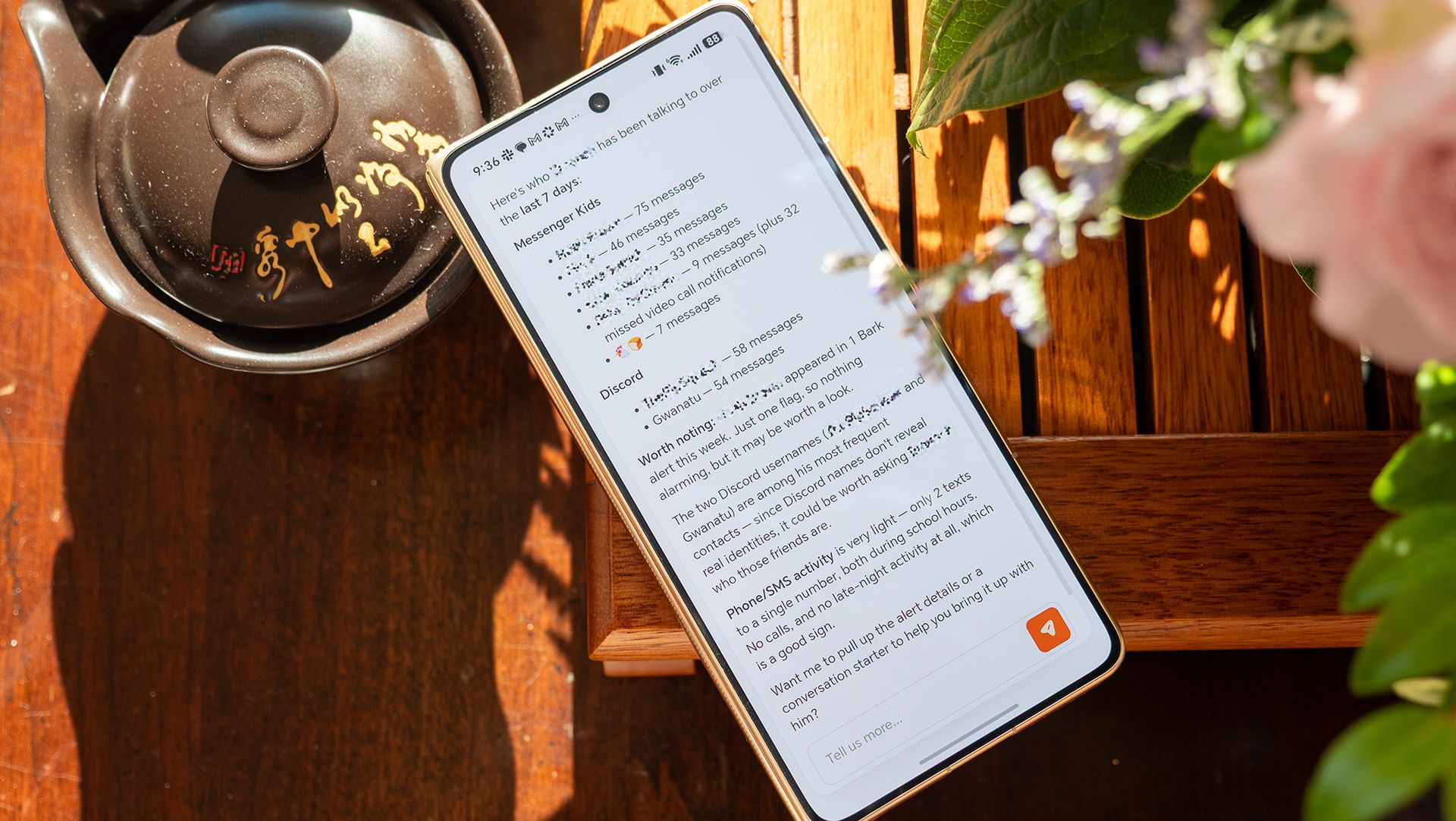
My favorite feature is the "who has my child been talking to" option, which generates a one-page summary of the past seven days. It's particularly helpful for kids who have access to apps like Discord, which are anonymous and can be nefariously used.
(Image credit: Nicholas Sutrich / Android Central)
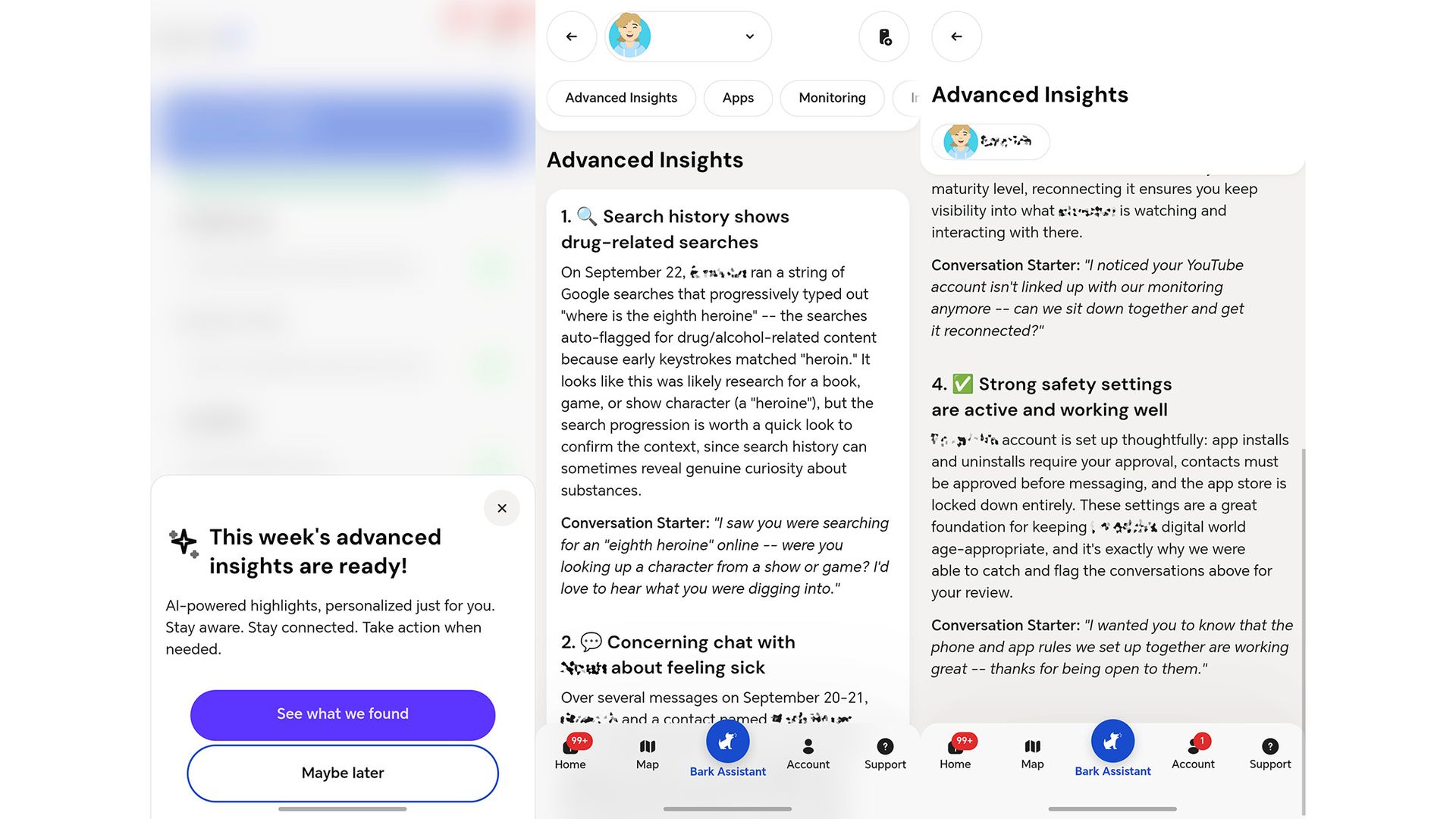
I also love the Advanced Insights tab, which uses a private LLM to summarize recent data and give you quick to-dos. In one humorous example, Bark identified a Google search my son made asking, "where is the eighth heroine?" Bark Assistant says, "the search was auto-flagged for drug/alcohol-related content because early keystrokes matched 'heroin,' but it looks like this was likely research for a book, game, or show character."
That's some fantastic insight, because the "eight heroine" is actually a puzzle in The Legend of Zelda: Breath of the Wild, not because my son was looking for illicit drugs. It's this kind of semantic understanding that makes Bark actually useful, rather than another app that sends me far too many annoying notifications.
(Image credit: Android Central)
Advanced Insights also gives you conversation starters for problems that it identifies. In the silly Zelda puzzle example, the Bark app suggested I double-check with my son by saying something like, "I saw you were searching for an 'eighth heroine' online -- were you looking up a character from a show or game? I'd love to hear what you were digging into." Good advice, especially if I don't want to rush in and immediately accuse him of something.
There's a lot more to Bark than these features, of course, but these are what set the service apart for me and make it truly special. It feels a bit like the difference between seeing a holistic doctor and stopping by a random clinic whenever you have a problem. Bark seems to understand the big picture, not just the things it should block or restrict, and I absolutely love that about it.
Honestly, any 5,000mAh or 10,000mAh Qi 2.2 power bank will be good enough if you're using an iPhone or recent Pixel and just want something that can charge your phone. It's a little more convoluted with other Android phones as you need to use a magnetic case, but other than that, the usability is similar.
(Image credit: BMX)
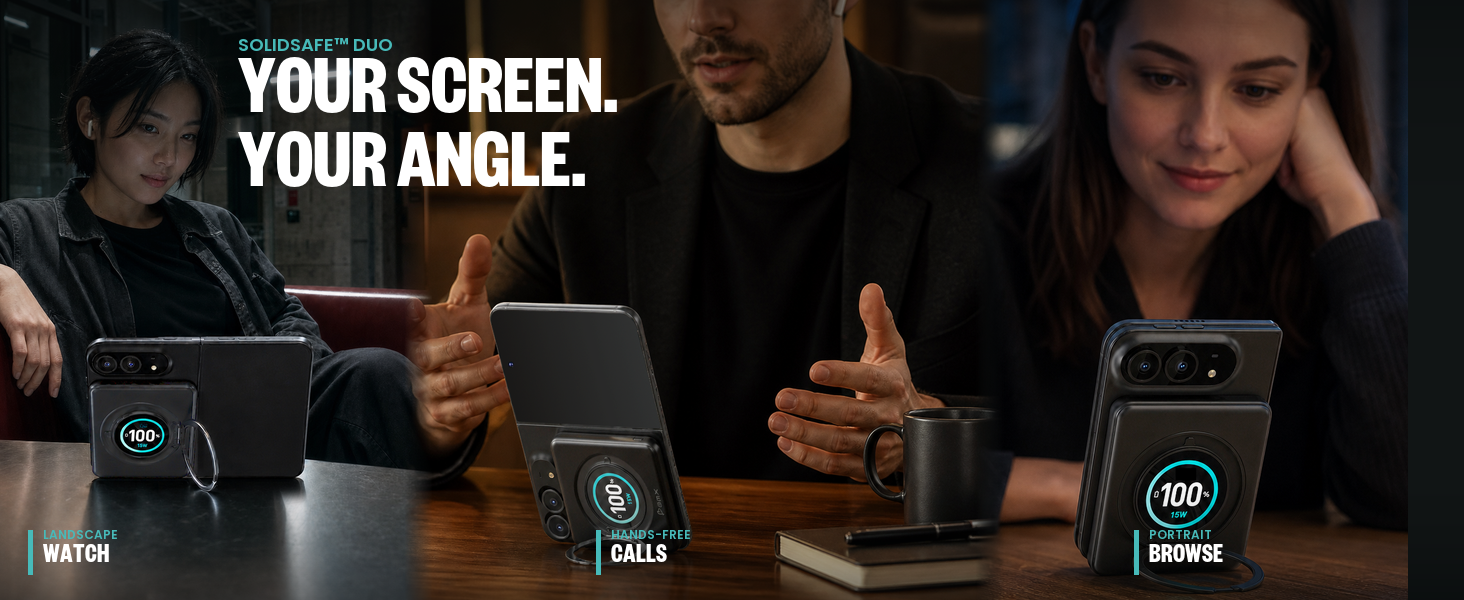
But that isn't the case with wide foldables like the iPhone Duo and the Galaxy Z Fold 8. The smaller and wider design means most power banks will be too long, but accessory makers are solving that problem. BMX's SolidSafe Duo is a 5,000mAh magnetic power bank with a semi-solid-state battery cell, and it utilizes a custom square design that's designed to go with the iPhone Duo.
As the image above illustrates, you can attach it to the rear of the foldable and use the provided 360-degree kickstand to interact with the inner panel. The rotating nature of the kickstand makes it inherently versatile, and you can use it to take advantage of the iPhone Duo's unique size.
I also like that the SolidSafe Duo gets a TFT panel that shows battery level and charging details. It isn't a Qi 2.2 power bank, instead going up to just 15W, but it gets a built-in USB-C cable that hits 20W. That's annoying, as 25W charging would have been ideal — considering it costs $79, nearly double that of regular Qi 2.2 power banks.
(Image credit: Baseus)
Baseus is also getting in on the action with the PicoGo Air AM72 Magnetic Power Bank. While it doesn't use a semi-solid-state cell and doesn't have the rotating ring, it has a similar design as Baseus's other power banks, and it should be just as reliable. While I haven't looked at BMX's power banks just yet, I used Baseus's products for well over two years now, and I haven't had any issues whatsoever. Baseus hasn't detailed what the AM72 will cost, with the power bank slated to go on sale in November.
This is just the initial wave of accessories, and I have no doubt that we will see plenty of other brands roll out iPhone Duo-related power banks, chargers, and cases over the coming weeks as we get closer to the foldable's availability.
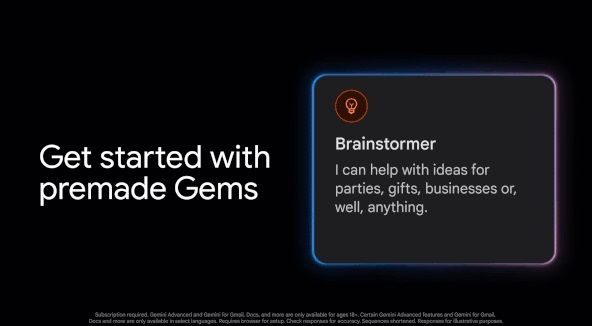
Google has started warning users in Gemini Gems that it will replace this feature with "Skills."
Gems will be replaced by Skills on November 17, 2026; however, users can continue to use Gems until they migrate.
Skills are "reusable custom instructions" that are stackable and easier to access for users in Gemini chats.
Google introduced Gemini Gems in August 2024.
Google is shutting down an old Gemini feature in the next couple of months. It states it will replace Gems with the next iteration of its AI tech.
In Gemini's Gems view, Google has posted an alert to inform users that Gems will be replaced by Skills on November 17, 2026 (via 9to5Google). The company's alert reads, "...we'll automatically begin migrating your Gems to skills. You will be able to use your Gems until they migrate." Learning more sends users to a support page where Google details its move from Gems to Skills.
According to the post, Skills are "reusable custom instructions" that users can utilize for automated tasks in Gemini. However, there are a few more uses. Skills are "stackable." Google states this means users can combine multiple Skills in one chat with Gemini for complex tasks. What's more, the company says you can type the Skill's name in a chat with Gemini for easier access.
It's worth noting that Google is working on a way to type "@" followed by the Skill's name for an even easier experience. Gemini's awareness of your Skills will have it "automatically recognize when a skill is relevant to your current prompt." Gemini will then apply that Skill for you without much manual input. If you've been using Gems and are curious about how to recreate them as a Skill, we suggest reading this.
The support document states Skills are available now in Gemini's chats for users over 18 years old and signed in (personal account). Google says it plans to expand Skills to work and school accounts in the future.
Watch the skills
(Image credit: Google)
We've had Gemini Gems for two years. Perhaps it's been a good run? Google first introduced these custom Gems in August 2024, stating they let users "create a tailor-made version of the AI for a specific need." Users can instruct the AI on its purpose and "how it should respond." Gems were available (still are, technically) on desktop and mobile. Since its introduction, Google has brought Gems to Workspace.
Google delivered a pre-made selection of Gems for Gmail, Drive, Sheets, and Slides. Users still had the ability to create their own, too. What's replacing it now—Skills—is the result of Gemini Spark. This is Google's latest proactive AI agent to help streamline users' workdays. Gemini Spark can manage tasks and workflows in the background without disturbing you. Google explains that Skills are "a set of instructions and preferences that teaches Gemini how to handle a specific type of task the way you would."
I'm one of those people who believes that we don't need a new generation of smartphones every year (can we take 2027 off please?), but this trend does come in handy when you're on the hunt for Motorola Razr Ultra deals.
Order last year's Motorola Razr Ultra (2025) unlocked from Best Buy today, for instance, and you'll get a straight $600 off your purchase, no trade-in required and no strings attached. This is an excellent clamshell device that still holds its own against many of the best foldable phones on the market, but since it's officially "last-gen", discounts like this are becoming more common.
Will the price drop even further when Amazon's Big Spring Sale kicks off next week? It's hard to say for certain, but I wouldn't worry about feeling any FOMO once the deals go live on October 6th: $600 off is an impressive discount no matter how you look at it.
If you want the premium flip phone experience without paying a premium price, the Motorola Razr Ultra (2025) is as good as it gets. Currently discounted to $699.99 at Best Buy, the clamshell foldable boasts two stunning displays with a titanium-reinforced hinge, 16GB of RAM, and the powerful Snapdragon 8 Elite chipset. View Deal
We called the Razr Ultra (2025) the 'flip phone, nearly perfected' in last year's 4.5/5-star review, and most of this praise still rings true today. Straight out of the box, you'll find two gorgeous pOLED displays (7-inch internal, 4-inch external) with a titanium-reinforced hinge and a premium vegan leather finish.
Under the hood, the Razr Ultra (2025) is equipped with an all-day 4,700mAh battery, 16GB of RAM, and the powerful Snapdragon 8 Elite chipset, in addition to 512GB of onboard storage.
How does the 2025 foldable compare to this year's Motorola Razr Ultra (2026)? Well, the newer phone adds an upgrade to the camera system and a larger battery without affecting the weight, plus a few new finishes that look great. That's about it. Both phones share the same processor, they have identical charging speeds, and there's no change to the display technology.
Iterative upgrades between smartphone generations are hardly uncommon in this day and age, but the Razr Ultra (2026) is selling for a jaw-dropping $1,499.99 right now. There is no universe in which I could recommend the 2026 flip phone when the nearly-identical Motorola Razr Ultra (2025) is selling for $800 cheaper at Best Buy.
Needless to say, unless you simply have to have the latest and greatest devices on the market, grab the 2025 Razr Ultra while it's on sale. You won't be disappointed.
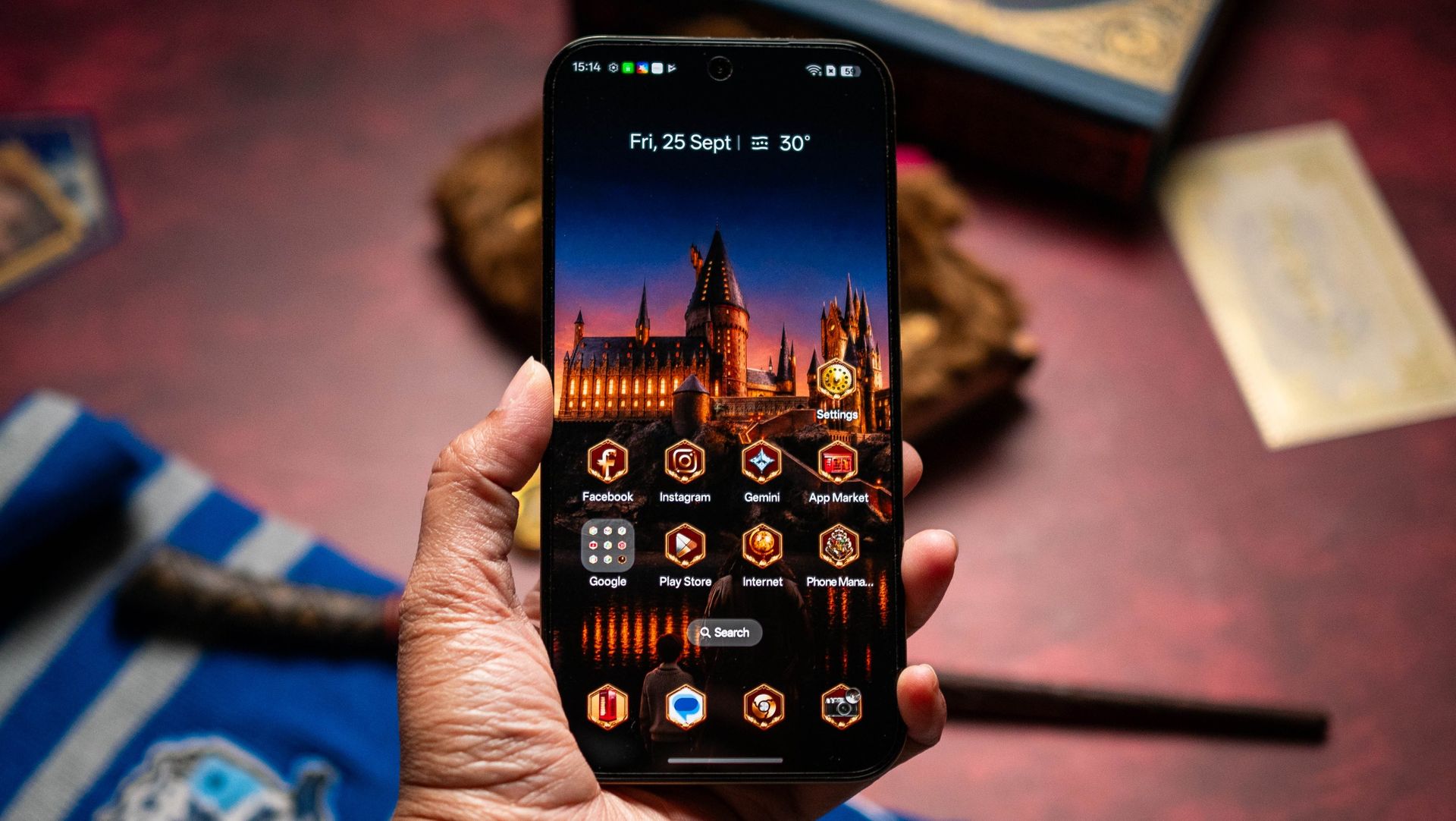
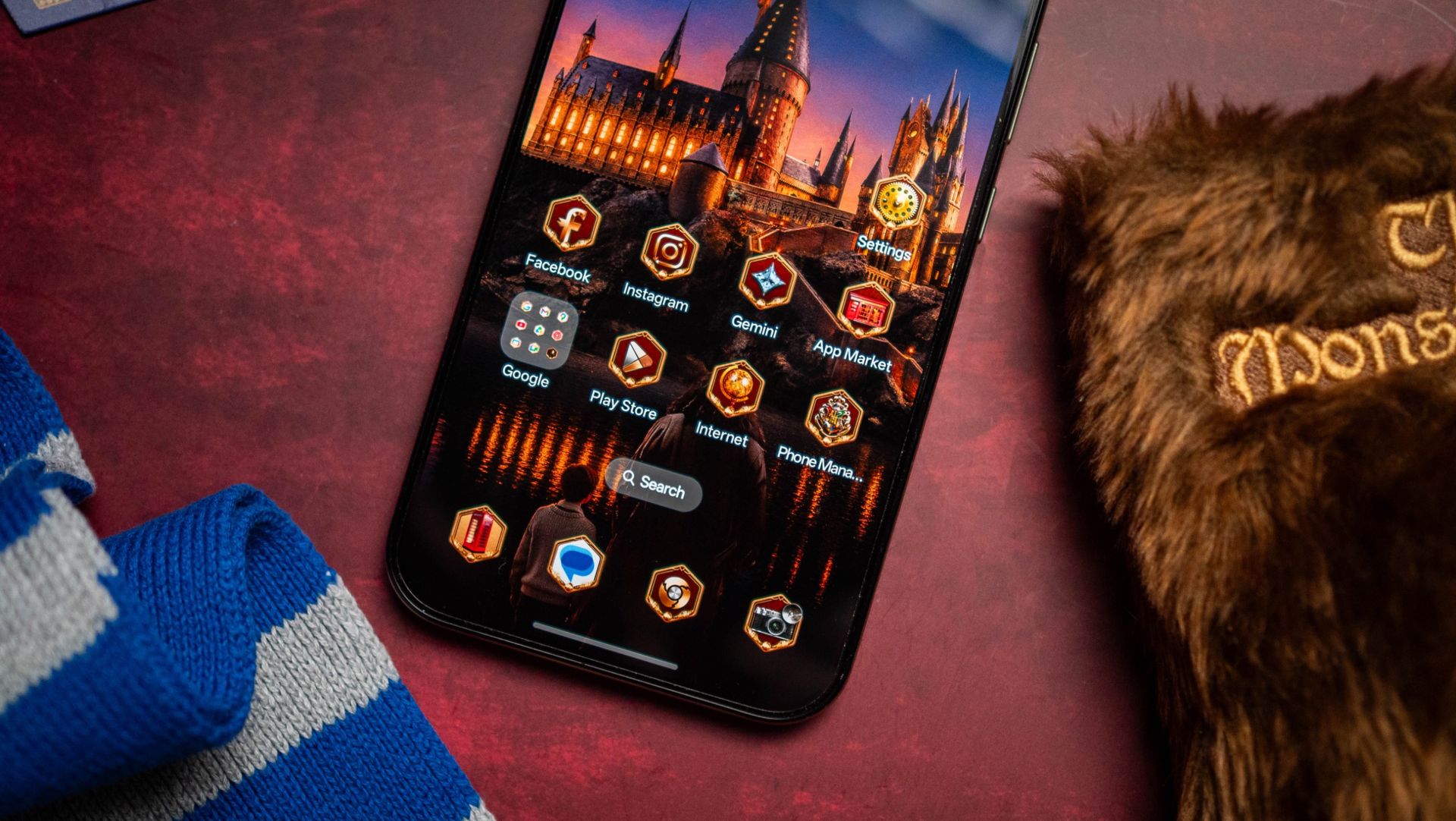
I always enjoy using limited-edition phones (who doesn't?), and I liked what Realme did last year with the 15 Pro Game of Thrones Limited Edition. The brand is following that up with another fantasy-related collaboration, this time launching the Harry Potter Edition of the 16 Pro.
I'm a Potterhead; I grew up with the Harry Potter books, and not being content with the canon, I went down the fanfic rabbit hole (HPMOR is incredible). My wife and sister also like the books, and we went to The Wizarding World of Harry Potter at Universal Studios a few years ago (it was a thoroughly enjoyable three days, and I highly recommend it).
Apoorva Bhardwaj / Android CentralApoorva Bhardwaj / Android Central
Anyway, let's talk about the device itself. Realme has proven that it knows how to make a limited-edition phone, and the brand outdid itself with the 16 Pro 5G Harry Potter Edition. The attention to detail with the box, accessories, and the phone itself makes this one of the best collaborations in this category, and I know what I'm talking about — I used every phone-based collab to come out in the last decade.
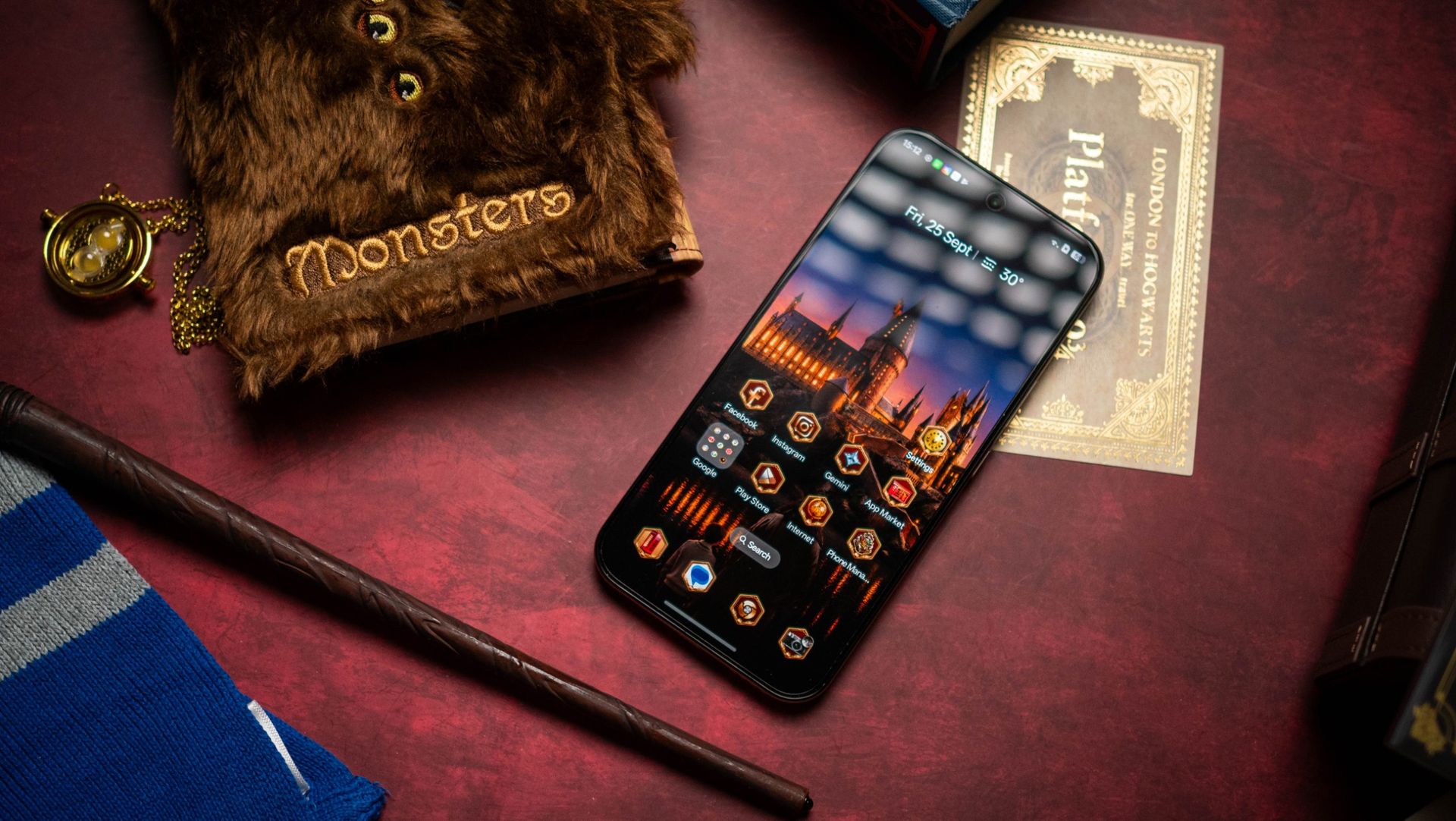
The design is centered around Hogwarts, and the box that the phone comes in reflects that. The box is styled after Harry's Hogwarts trunk, and it comes with a ton of accessories: you get the Hogwarts letter (which is just plain cool), Platform 9 3/4 train ticket, bookmarks of each house, and four postcards.
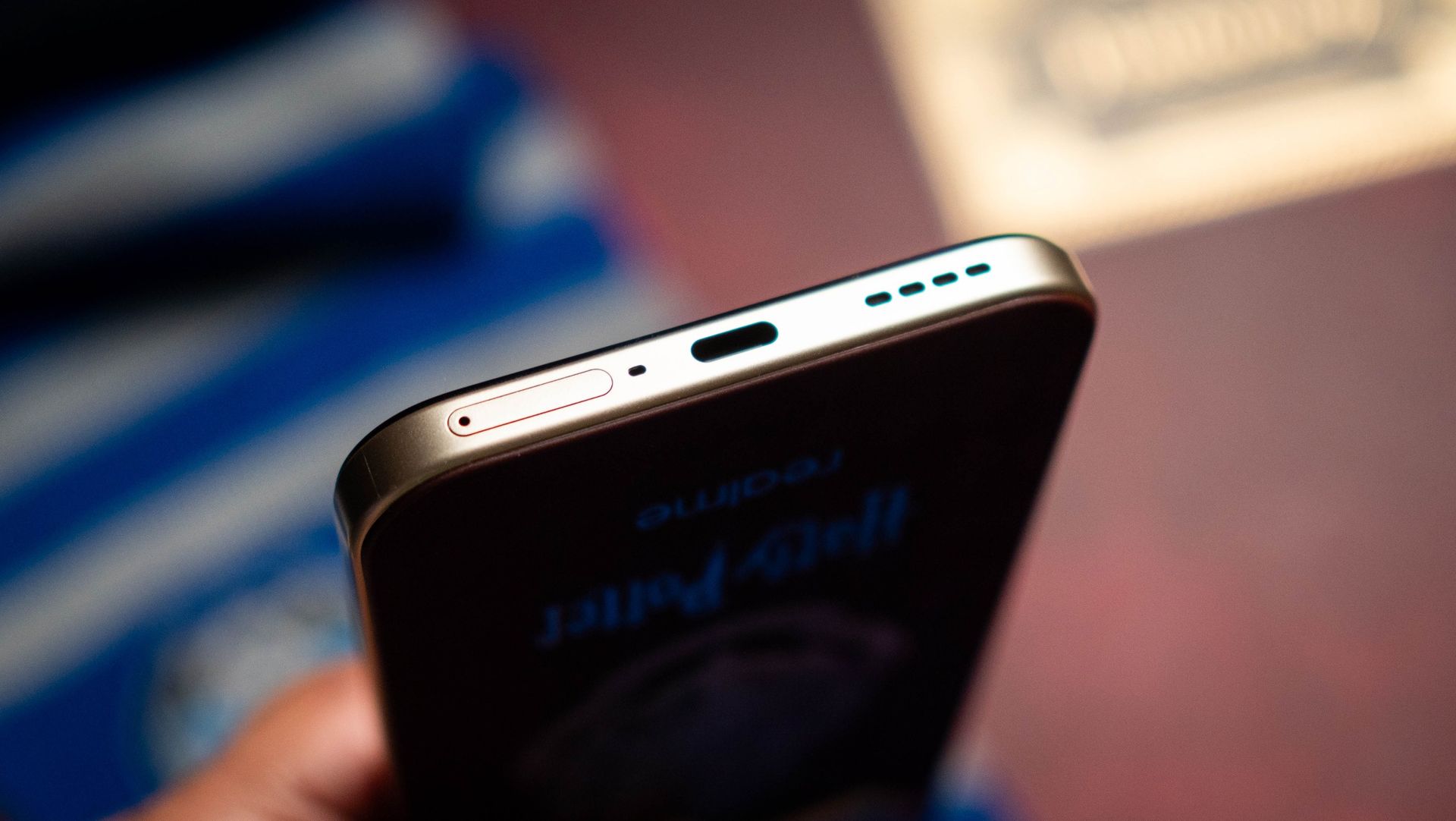
There's a delightful SIM card ejector styled like the Hogwarts crest, a phone case with the crest on the rear, and a charger and cable that are of the same color as the phone itself. This is a big deal in and of itself, because most limited-edition collabs use the same charger as the regular models.
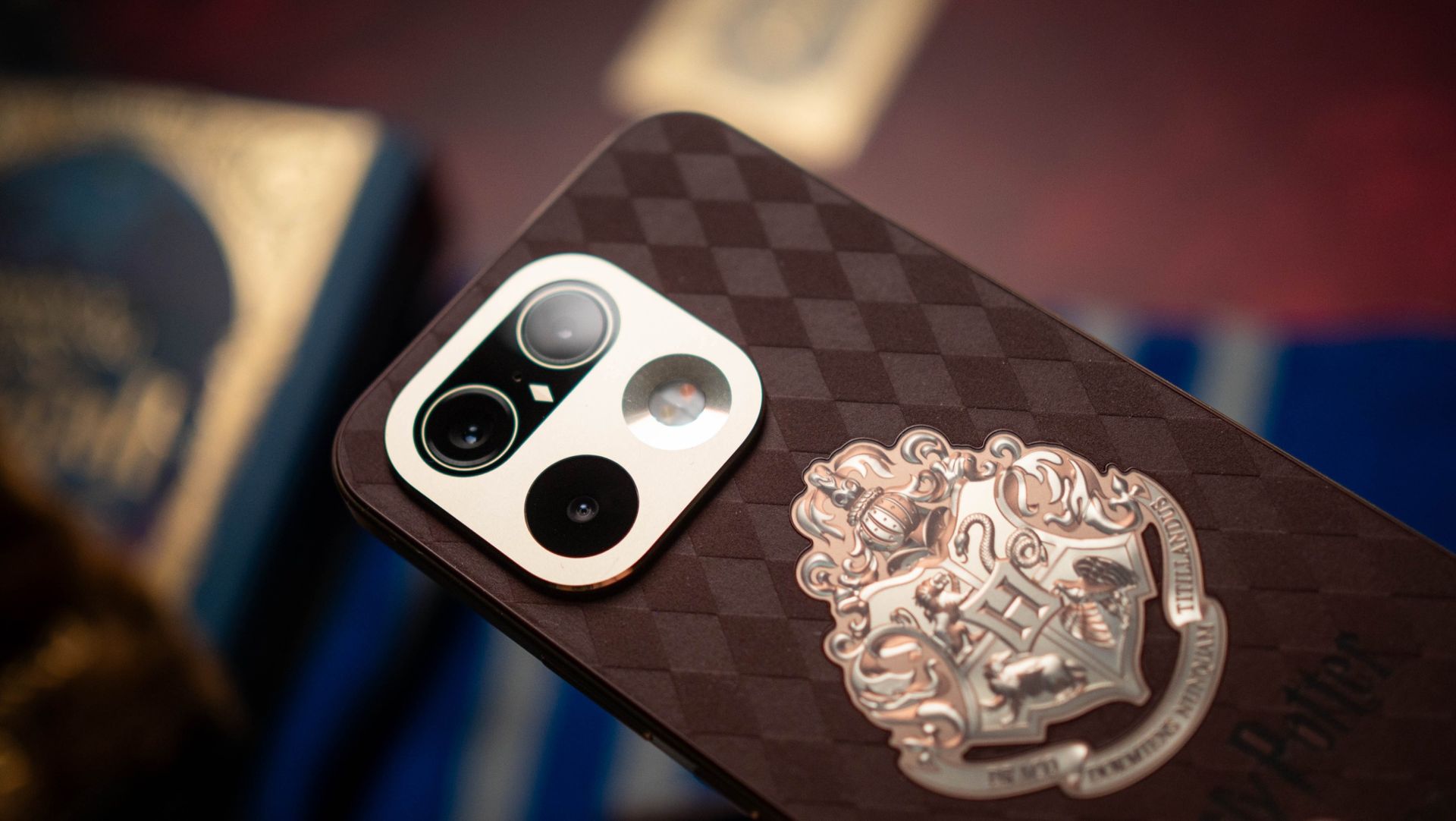
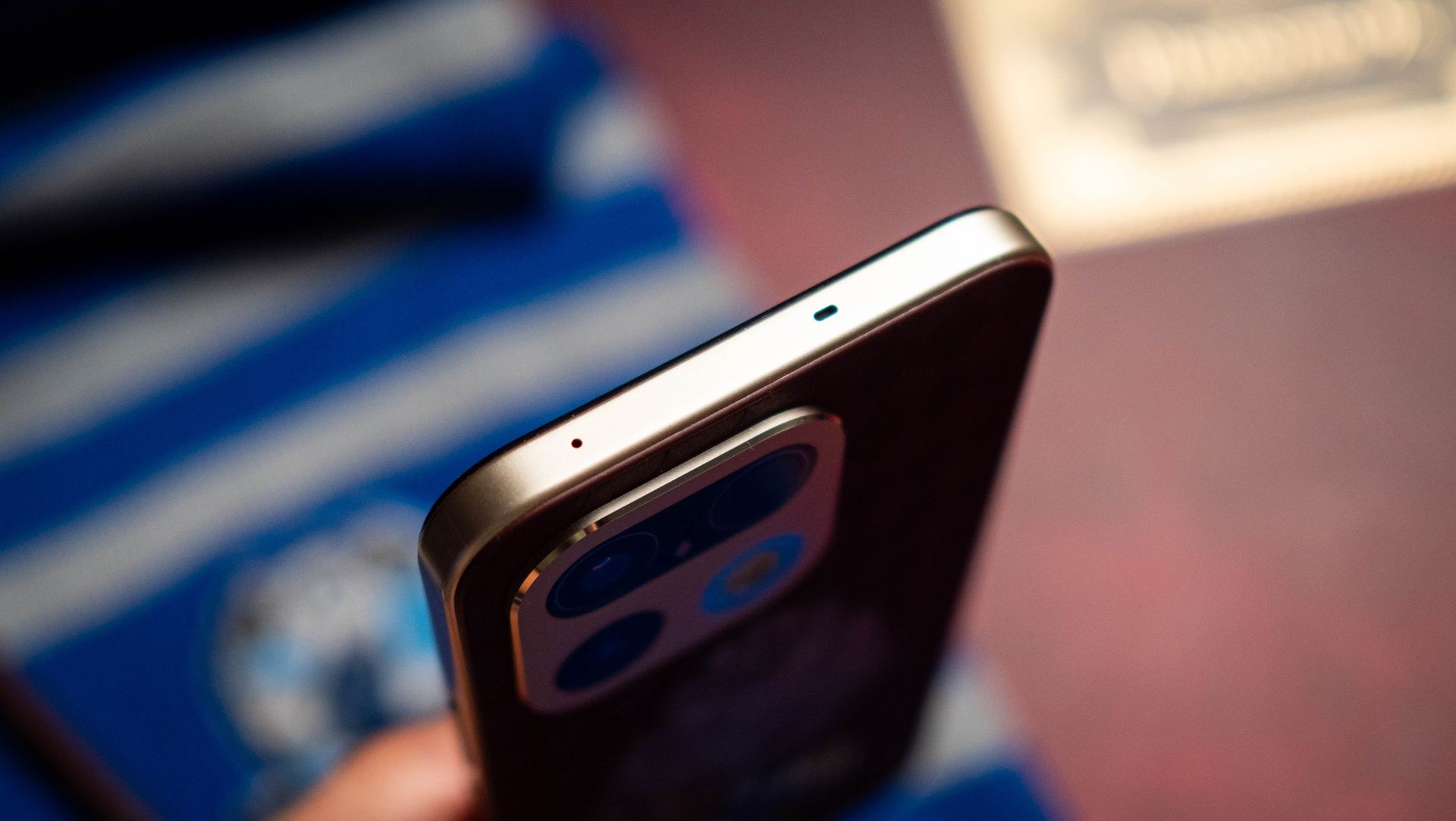
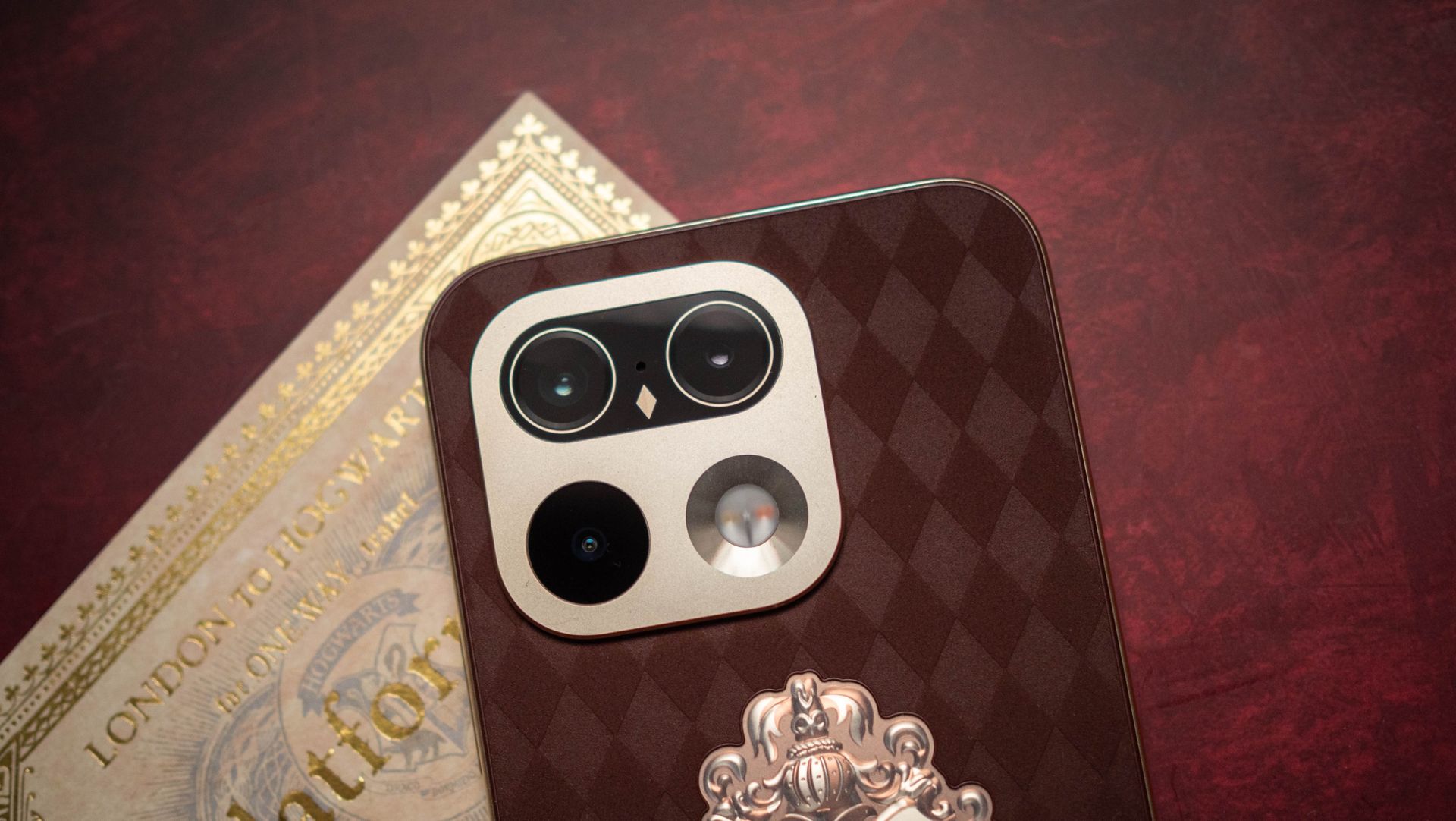
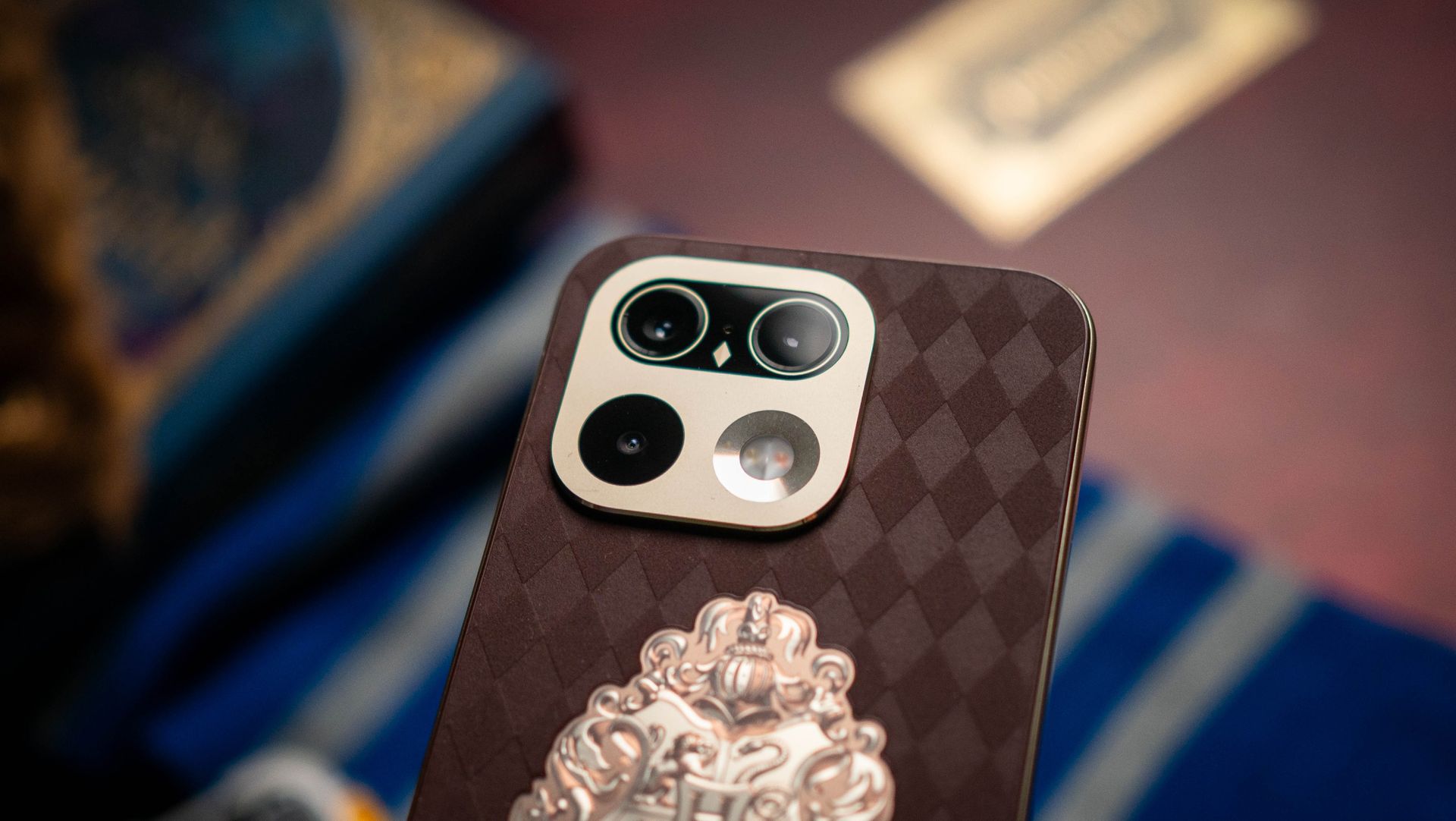
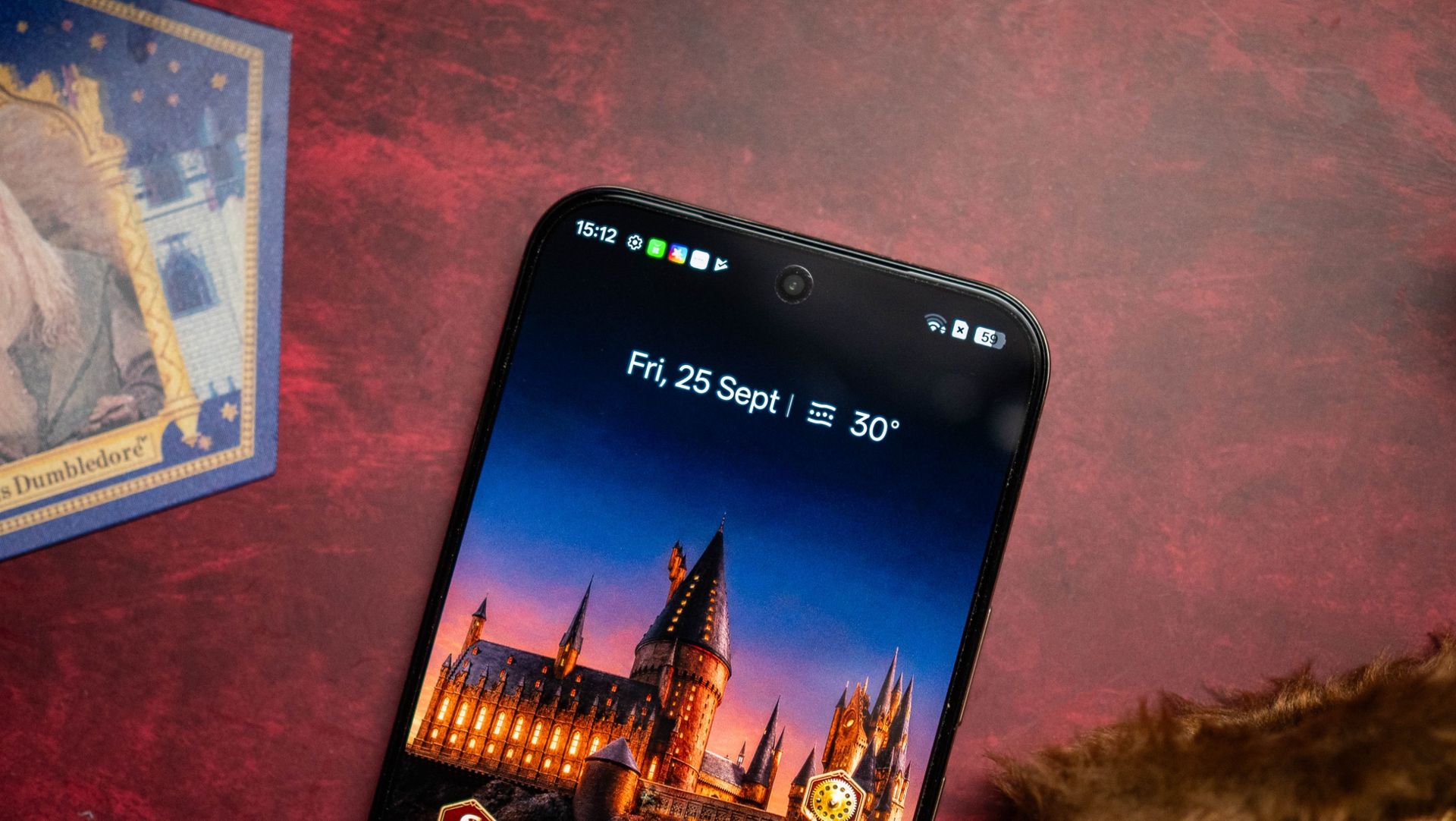
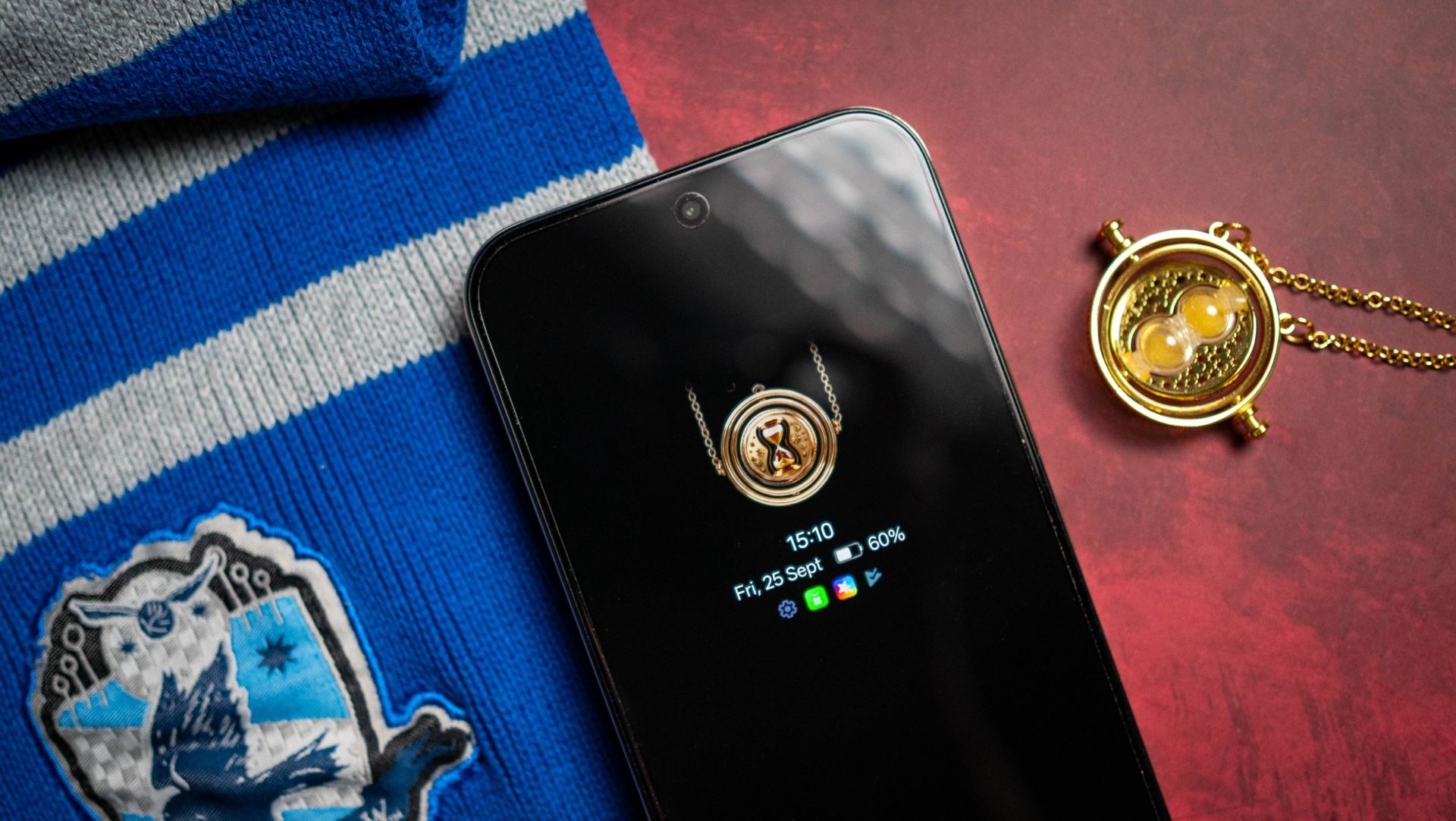
All of this leads to an unboxing that feels quite special, and honestly, it's clear that Realme put a lot of thought into this edition. The phone itself continues the Hogwarts livery, with the four-house crest highlighted on the rear along with Harry Potter and Realme inscribed underneath.
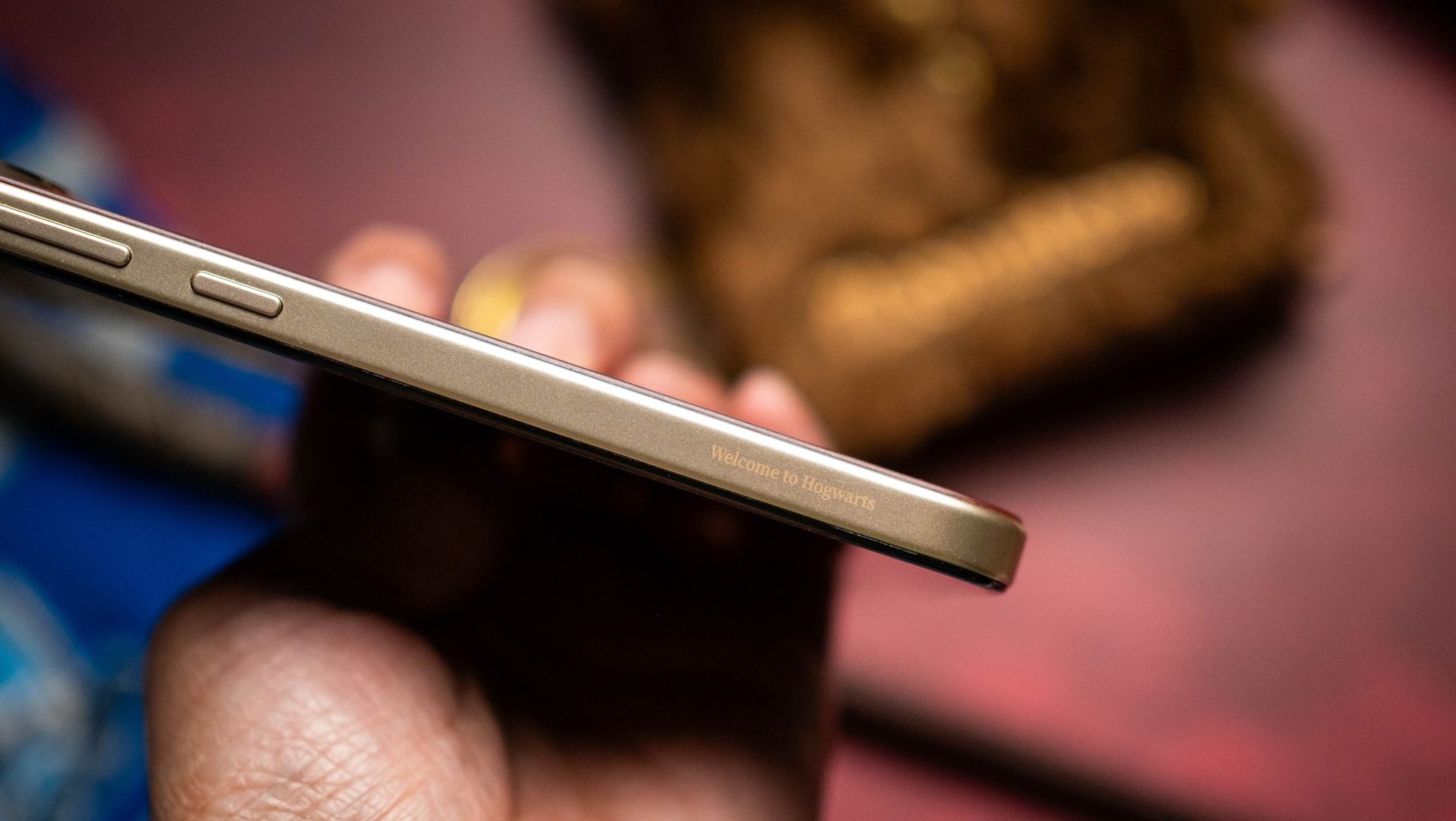
I also like the soft brown leather texture, and the pattern contrasts really well with the crest (it's also a good choice if you're into Burberry). Realme says the camera island is styled to look like Hedwig's eyes, and there's a laser-engraved Welcome to Hogwarts etched on to the mid-frame on the right.
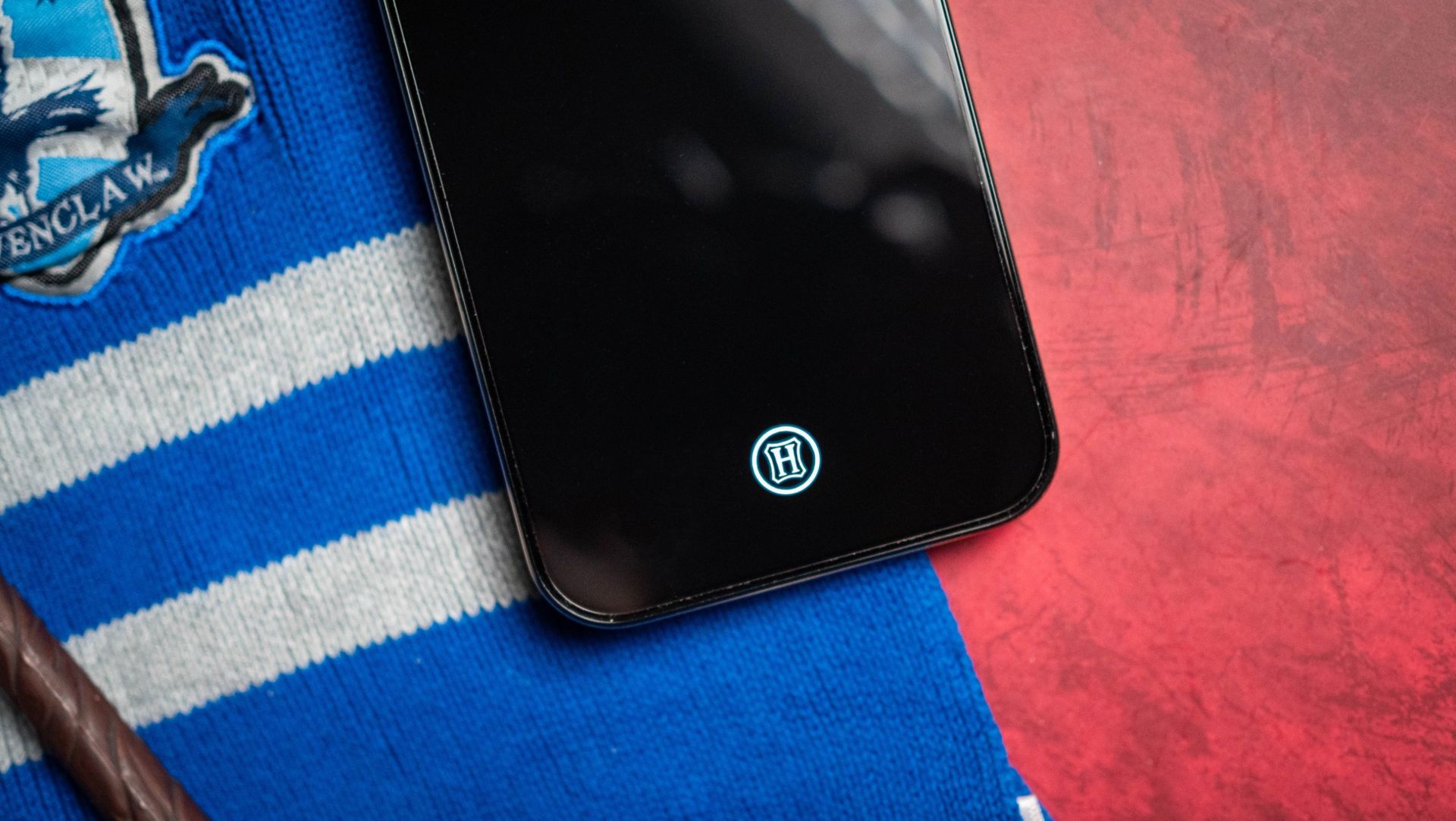
I didn't notice this in the beginning, but the crest has what Realme calls Quadra Light-Sensing Color-changing Tech, which basically means it shows the colors of each house when you shine a UV light over it. This is undeniably cool, and I'll admit I wouldn't have come across it if I didn't go to Realme's product page.
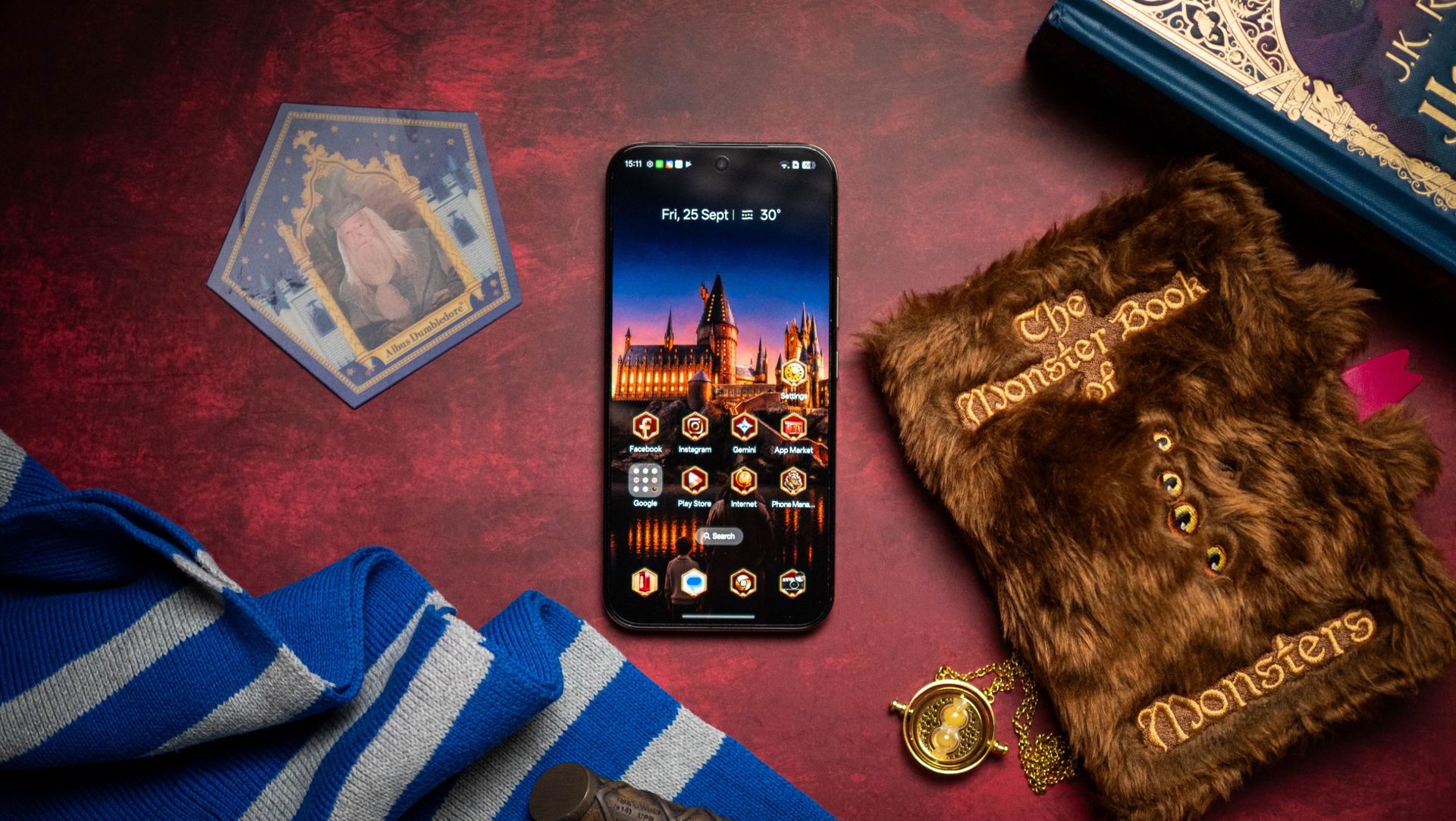
There's a lot to like with the software as well. Realme added unique icons and animations, and it makes the device stand out from the regular model. If you don't like the styling, you can use the standard icons that come with Realme UI.
Other than that, the rest of the phone is similar to the Realme 16 Pro. It's a reliable mid-ranger, and it honestly is one of the better choices available in this category. You get a 6.78-inch AMOLED panel, Mediatek Dimensity 7300 Max, 12GB of RAM with 256GB of storage, a 200MP main camera, and 7,000mAh battery.
Apoorva Bhardwaj / Android CentralApoorva Bhardwaj / Android Central
On the whole, the Realme 16 Pro 5G Harry Potter Edition is one of the best limited-edition phones I used. It does a great job reliving the magic of the Wizarding World, and I like the number of accessories Realme included this time around. of course, the result of that is the phone being costlier than the regular model; it costs ₹62,999 ($656) in India, and that's a considerable hike over what the standard 16 Pro costs in the country. Still, if you're a Potterhead and want a new phone, it is a great choice.